BLOG

A Beelink Mini S12 Pro with Intel N100 can suit web apps, documents, video playback and a compact front-desk workstation. It is not an equivalent replacement for a recent Core or Ryzen desktop in heavy editing, several virtual machines or demanding games. Before ordering, identify the exact RAM, SSD, operating system, ports and warranty in the seller’s configuration. Mini S12 Pro listings do not all describe an identical bundle.
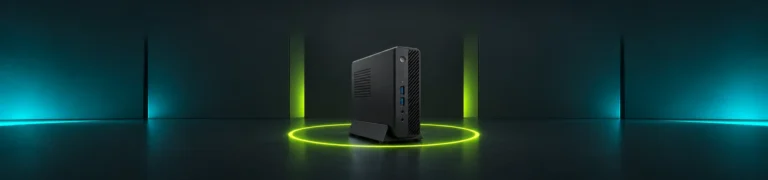
This analysis draws on the Intel N100 specification, Beelink support responses and public owner experiences, not a test of our own mini PC. Positive and negative comments about heat and fan noise are individual signals for a receiving test, not failure-rate estimates. The reused cover shows the product from the original Brazilian article and does not verify a particular US seller’s offer.
What is the N100 actually good for?
Intel lists four cores and four threads, a turbo frequency up to 3.4 GHz and 6 W processor base power for the N100. That 6 W figure is not the electricity consumption of the entire mini PC: RAM, SSD, wireless radio, ports, power adapter losses and cooling also draw power. The chip targets efficient, lighter workloads. Browser-based CRM, WordPress administration, documents, moderate spreadsheets and video meetings can fit that profile, provided the machine has enough memory and storage.
Intel also lists integrated graphics and Quick Sync Video. Those features can help compatible media playback and some encoding tasks. They do not turn this small system into a strong 4K editing workstation with effects or a current gaming PC. A person keeping many browser tabs, messaging apps and meetings open may run into RAM or sustained CPU limits; Adobe, CAD, rendering and demanding games place even more weight on processor and integrated-GPU capability.
Workload expectations at a glance
| Use | Realistic expectation | When to choose more hardware |
|---|---|---|
| Browser and documents | Good fit with adequate RAM and SSD | Heavy local apps, very many tabs or multiple users |
| Two monitors | Useful if the specific unit has appropriate outputs | Special resolution, refresh-rate or connection requirements |
| Media and light server | Possible with compatible software and codecs | Several transcodes, extensive internal storage or critical 24/7 service |
| Current games and heavy creation | Outside the integrated GPU’s intended role | PC with a suitable CPU and graphics card |
This table describes a workload fit, not a benchmark. A particular application can be limited by memory, SSD, network, cooling or software configuration even when the CPU is capable of the basic task.
RAM, SSD and ports: the CPU name is not the whole computer
A commonly advertised configuration has 16 GB DDR4, a 500 or 512 GB SSD and two HDMI outputs. US sellers may offer different RAM, storage, Windows edition or accessories. Inspect photographs of the actual unit, the written specifications and the return policy. Check whether memory can be replaced, the SSD form factor and interface, the number of USB ports and the included power adapter.
Do not treat “SSD” as proof of NVMe speed. In a Beelink support reply to one owner, the company said that unit’s slot accepted NVMe but operated at PCIe 3.0 x1, and the machine originally contained a SATA SSD. That is information about the discussed hardware revision, not a guarantee for every Mini S12 Pro ever sold. Confirm the exact configuration before paying for a faster drive that the interface cannot fully use.
Intel’s official N100 specification lists a maximum memory size of 16 GB. Some sellers or experimenters may mention more, but that does not rewrite Intel’s published limit or guarantee support in every device. If you regularly keep many work apps open, buying a verified 16 GB configuration is safer than ordering 8 GB while assuming a painless upgrade. If 16 GB is already inadequate, choose a higher-class platform rather than trying to make this unit behave like a different PC.
Two HDMI outputs can make a small desk setup useful for CRM on one screen and documents on the other. Check the actual outputs and the resolution and refresh rate required by both monitors. The N100’s GPU specification does not prove that every Beelink revision exposes every theoretical display mode through its physical ports. Count USB connections after keyboard, mouse, webcam, external storage and adapters; an extra hub adds cost and cables.
A mini PC behind a monitor still needs air
Its size is convenient, but do not block intake and exhaust vents behind a display or inside a closed cabinet. Leave room for airflow and check where dust will collect. A small fan may become audible under sustained load even though the processor is designed to be efficient. Efficient does not mean fanless or guaranteed silent.
For critical work, identify the external adapter, RAM, SSD and fan, and understand the US seller’s warranty route. A tiny computer that is out of service for days can cost more than it saved in desk space. If it will run continuously as a light server, plan backups, restart behavior after a power outage and monitoring. A single internal SSD is neither a backup nor a high-availability storage system.
Owner experiences point in different directions
One owner of an N100 Mini S12 Pro with 16 GB reported that it handled movie viewing and worked well early in ownership. Another owner discussion describes the S12 Pro as a good small PC for browsing and office applications. These comments align with the N100’s intended class but do not establish performance for editing, VM-heavy development or long-term reliability.
In contrast, a user with an S12 Pro N100 reported temperatures often above 90 °C on their machine and lower readings after changing power settings while investigating the cause. That is one case, not the normal temperature of the line. Its useful consequence is to test sustained workload, fan noise and clock behavior during the return window, and use the warranty route if the unit acts abnormally rather than opening it immediately.
A related S12 owner liked size and speed but disliked fan noise enough to modify the cooling. The post may not describe an identical Pro revision, and modifying a fan is not general advice. Another Mini S12 Pro user reported no noticeable fan noise. Workload, placement, ambient noise and unit variation can all affect perception; test your own setup instead of treating either account as a rule.
Windows, Linux and server duties
If Windows is included, confirm the edition, activation status and recovery procedure with the seller. Complete initial updates and test sleep, Wi-Fi, audio, video and USB before moving valuable files. If installing Linux, look for experience with the same wireless and Bluetooth hardware revision; support for the N100 processor does not guarantee every peripheral works without extra configuration.
In a Beelink forum thread, a user reported missing devices after reinstalling Windows. The practical step is to save manufacturer drivers and recovery material before wiping the original installation. For home automation or file sharing, the N100’s efficiency can be attractive, but network, storage, backup and support determine reliability. Quick Sync alone cannot tell you how many simultaneous video transcodes your exact software and configuration can handle.
Strengths, limits and receiving test
Strengths: very small footprint, potentially modest total power use, an N100 appropriate for common office tasks and dual-display potential on configurations with the required ports. Limits: entry-class CPU and GPU, Intel’s 16 GB stated memory ceiling, cooling-dependent sustained performance and support terms that vary by seller and region.
- Confirm the N100 in system information and record installed RAM, SSD, ports and operating system.
- Test both display outputs, USB, Ethernet, Wi-Fi and Bluetooth before building a work environment around the machine.
- Update the supported OS and run your real workload for several hours; observe freezes, noise and temperatures.
- Check SSD capacity and health, create a backup and prepare recovery media.
- Keep the order receipt, original adapter and warranty terms; the seller’s return period and Beelink support are distinct.
Verdict by use case
Consider it: reception desk, web-first office, documents, media and a space-constrained workstation. Choose a stronger class: heavy editing, several virtual machines, CAD, demanding games or a workload that regularly exceeds 16 GB RAM. Investigate further: permanent server duty or a hot, enclosed installation, where cooling, backups and replacement time become central. The Mini S12 Pro is useful when the job fits its class; its small box should not conceal its limits.
Frequently asked questions
Can a Mini S12 Pro be a work computer?
Yes, for web apps, documents and browser-centered tasks with adequate RAM and storage. Heavy local creation and multiple VMs call for stronger hardware.
Does the N100 officially support 32 GB RAM?
Intel lists 16 GB as its maximum memory size. Treat higher-capacity claims as variant-specific experiments, not a universal guarantee.
Do two HDMI ports mean dual 4K at every refresh rate?
No. Confirm the specific machine’s port implementation, both displays, cable capability and required mode.
Is it silent?
Owner reports differ. Noise depends on load, cooling and environment. Test the unit at your desk during the seller’s return window.