BLOG

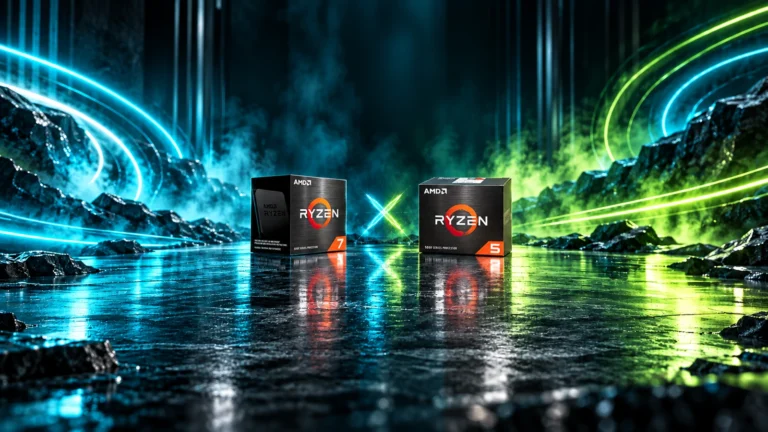
For a budget AM5 build, the boxed Ryzen 5 7600 remains practical because its retail package includes a cooler. The Ryzen 5 9600X is more attractive when the total CPU-and-cooling price gap is small or independent tests show a useful gain in your specific games or work. If you already own a 7600, replacing one six-core CPU with another needs a stronger reason than a newer generation name.
The decision is not just 7600 versus 9600X on a price tag. Compare the actual boxed or tray SKU, cooling, motherboard BIOS, memory, GPU limits, and the workload you care about. Current US prices vary and are not fixed here. The original Brazilian affiliate offers are removed; this guide is for a US purchase decision.
Ryzen 5 7600 vs 9600X: the essential specifications
| Characteristic | Ryzen 5 7600 | Ryzen 5 9600X |
|---|---|---|
| Architecture and socket | Zen 4, AM5 | Zen 5, AM5 |
| Cores and threads | 6 cores, 12 threads | 6 cores, 12 threads |
| Base / maximum boost | 3.8 / up to 5.1 GHz | 3.9 / up to 5.4 GHz |
| L2 / L3 cache | 6 MB / 32 MB | 6 MB / 32 MB |
| Default TDP | 65 W | 65 W |
| Official memory speed with two modules | DDR5-5200 in the documented configuration | DDR5-5600 in the documented configuration |
| Retail cooler | Wraith Stealth with the confirmed boxed SKU | Not bundled with the WOF SKU |
| Integrated graphics | Basic Radeon graphics for display and troubleshooting | Basic Radeon graphics for display and troubleshooting |
The figures come from AMD’s Ryzen 5 7600 and Ryzen 5 9600X specifications. Maximum boost is a conditional peak, not a promise that every core will hold that frequency indefinitely. Load, temperature, firmware, and power settings influence the actual clock.
Do not substitute the 7600X for the 7600 in a price comparison: they are different products. Also do not treat a boxed 7600 and a no-cooler 9600X as complete equivalent kits. A tray or OEM listing may change what accessories and warranty route you receive. Check the printed product code and seller description, not just a stock photograph.
How much faster is Zen 5 in actual games?
A TechSpot test of 12 games found the 9600X averaged about 6% ahead of the 7600X at medium settings and about 3.5% ahead at higher settings. The distinction matters: those measured results are against a 7600X, not a direct benchmark of the Ryzen 5 7600 in this buying guide. Do not add an estimated 7600-to-7600X difference and present the sum as if it were a measurement.
The same test showed substantial variation by title. At medium settings, Rainbow Six Siege X produced about 17% higher average frame rates and 19% higher 1% lows for the 9600X relative to the 7600X. Some other games barely changed. The result depends on the test’s GPU, settings, memory, software versions, and scene. It is not a promised frame-rate table for any GeForce or Radeon card you happen to own.
One-percent lows help describe the slower end of frame delivery, but they cannot explain every stutter. Shader compilation, asset loading, operating-system activity, and game bugs may also cause visible interruptions. When smoothness is the goal, prefer repeatable tests with frame-time information over a single average-FPS headline.
Resolution and the GPU change the value of the upgrade
At 1080p with competitive settings and a capable graphics card, a game may expose CPU differences clearly because the GPU can deliver many frames. That can matter when chasing a high and stable frame rate on a fast monitor, but only if the title responds to the new CPU. A 240 Hz display alone does not make the 9600X a good value.
At 1440p, there is no universal rule. A lighter esports title and a graphics-heavy game with ray tracing will stress different parts of the PC. At 4K, the graphics card more often dominates, so a small CPU upgrade may become less visible; some scenes still remain CPU-limited. Resolution scaling through DLSS or FSR can lower the internal rendering resolution and change that balance again.
Use the settings you actually intend to play with when reading benchmark results. If you suspect a CPU limit, compare frame times and what happens when you lower resolution or graphics load. GPU utilization is a clue, not a complete diagnosis by itself. A game engine can have a busy main thread even when total CPU usage looks low.
There is also a difference between a benchmark that highlights the CPU and a purchase that improves your whole PC. Reviewers may pair a midrange CPU with a very fast graphics card and moderate visual settings to reveal processor differences. That is a legitimate test method, but a buyer with a slower GPU and higher graphics settings may see much less separation. Read the test setup before transferring its result to your build. If your present game already holds the frame rate your display and workload require, a small benchmark advantage may have no practical value.
Cooling is part of the real purchase price
The boxed 7600’s Wraith Stealth lets a new build start without another cooler purchase. That can free money for the GPU, memory, or storage. You may later choose a tower cooler for noise or temperature, but if that upgrade is already in your plan, include its cost in both CPU scenarios rather than counting the boxed cooler as a permanent saving.
The 9600X WOF retail option requires a suitable cooler from the start. It does not automatically require liquid cooling. Check AM5 mounting, the cooler’s capacity, case height, and airflow. If you already own a compatible and adequate cooler, the comparison changes: buying another one for the 9600X may be unnecessary.
A 65 W TDP is not a wall-socket power reading. Real consumption and temperature vary by application, firmware limits, and cooling. AMD lists a maximum operating temperature of 95°C for both chips; that is not a recommended target for every workload and does not prove a fault from a single snapshot. Compare thermal measurements made with comparable ambient temperature, cooler, fan behavior, and power settings. A 7600 on a small boxed cooler against a 9600X on a large tower cannot isolate the chips’ efficiency.
What owners say about noise and setup
In an AMDHelp discussion, one Ryzen 5 7600 owner described the boxed cooler becoming loud as the CPU warmed and preferred a later cooling change. Another participant in the same thread described running a Peerless Assassin 120 on a 7600 for roughly a year. These are separate systems and personal noise tolerances, not a controlled side-by-side test. They show that the included cooler is useful for starting a build, while a quieter setup may cost more.
A 9600X owner on r/buildapc reported a good general experience after some Windows network setup trouble. This is not evidence that the CPU itself caused that trouble, nor a measured frame-rate gain. A separate Brazilian owner report in the original guide did not include enough controlled details for a US performance claim and is omitted here. Owner reports can surface setup questions, but benchmark conclusions require controlled testing.
Productivity: choose tests that match your task
For Photoshop, coding, video editing, or rendering, identify the operation you need to speed up: an export, compile, filter, simulation, or render. The TechSpot 9600X review shows that application results vary. A gain in one filter cannot be converted into a general productivity promise for all software. If your workload keeps many threads busy for long periods, compare higher-core-count processors and the complete system cost too.
For web browsing, office work, and light tasks, a decent SSD, enough memory, and a well-configured operating system may matter more to perceived responsiveness than moving between these two six-core CPUs. The integrated Radeon graphics on either chip can drive a compatible motherboard display output for basic use and troubleshooting, but it is not an equivalent substitute for a gaming GPU in demanding titles.
BIOS and DDR5 compatibility are not automatic
Both processors use AM5, but a motherboard must have firmware that recognizes the specific chip. Check the CPU support list for the board’s exact model and revision and note the required BIOS version before removing an older CPU. Some boards allow BIOS updates without a supported CPU, while others need a working installed processor or another service path. Do not assume every AM5 board ships with a recent BIOS.
AMD’s official DDR5 speeds are baseline support figures under specified module configurations. An EXPO profile above the official setting is a memory overclock, not a universal guarantee. Check the motherboard memory list, module count, and stability after assembly. Four modules can pose different challenges from two. A stable working machine is worth more than a small benchmark gain from a profile that crashes your software.
Maximum supported memory capacity is another specification that can differ between generations, but it is rarely the deciding factor for a typical two-module gaming build. If you genuinely need a very large RAM pool for virtual machines or data work, check the AMD processor page, the motherboard’s own maximum, the BIOS, and the availability of tested DIMMs together. A processor’s theoretical ceiling does not mean any arbitrary memory kit will train successfully at an overclocked speed. For ordinary gaming, choose capacity from the games and background applications you run, then favor a stable configuration.
Calculate the full US cost, not just the CPU price
Add CPU + cooler actually needed + any compatibility expense. A purely illustrative calculation: suppose a 7600 boxed kit costs $180, a 9600X costs $210, and an appropriate cooler for the latter costs $35. The full gap is $65, about 36% of the first kit’s price. These are example numbers, not current offers. If you would purchase the same separate cooler for both CPUs, redo the equation; the incremental cooling expense disappears.
Then ask what that additional cost buys in your workload. A modest CPU gain may matter less than a better GPU, more storage, or enough RAM. If you already own a 7600, account for the resale value, any transaction costs, the time to install and test, and the possibility that the change barely affects your games. The motherboard and RAM you already own are sunk costs, not new purchases to add twice.
- 7600 boxed strengths: included starting cooler, AM5 platform, and budget room for other components.
- 7600 cautions: boxed-cooler noise may bother some users, and Zen 5 gains in specific tasks do not apply to it.
- 9600X strengths: newer architecture and measured gains in some games and applications on the same AM5 platform.
- 9600X cautions: cooler must be provided, BIOS compatibility matters, and many real workloads show smaller gains than the best chart.
Frequently asked questions
Should I replace my Ryzen 5 7600 with a 9600X?
Only after identifying a task that benefits enough to justify the net cost. GPU-limited games and light work may change little. Look for a direct test of your game or application where possible.
Does the 9600X require a liquid cooler?
No. A suitable air cooler can be appropriate. Check mounting, capacity, noise, case clearance, and the power limits you plan to use.
Can I use either chip without a discrete GPU?
Yes for basic display and diagnosis if the motherboard exposes a compatible video output. The integrated graphics are not intended to replace a capable dedicated card in demanding games.
Which makes more sense for a new PC?
Compare the complete kit. The boxed 7600 favors a tight budget; the 9600X deserves consideration when the full price gap is small and measured gains suit your workload.
Verdict: buy for a measured bottleneck
Budget build: start with the boxed 7600 if its included cooler saves useful money for the rest of the system. High-frame-rate competitive gaming: consider the 9600X after reading tests for your titles, settings, and frame-time behavior. Existing 7600 system: keep it unless a concrete limitation and favorable net cost support the change. Heavy work: compare application-specific benchmarks and higher-core alternatives. The right CPU is the one that improves the task you actually perform at a sensible total price.