BLOG

Choosing between a PS5 and a gaming PC starts with a simpler question: do you still need a computer for work? If your laptop or desktop already handles your job, a PS5 can be the easier way to separate play from work. If you still need one machine for coding, editing, studying and games, a gaming PC is the more versatile purchase. Graphics comparisons come after that decision, not before it.
Understand in 45 seconds
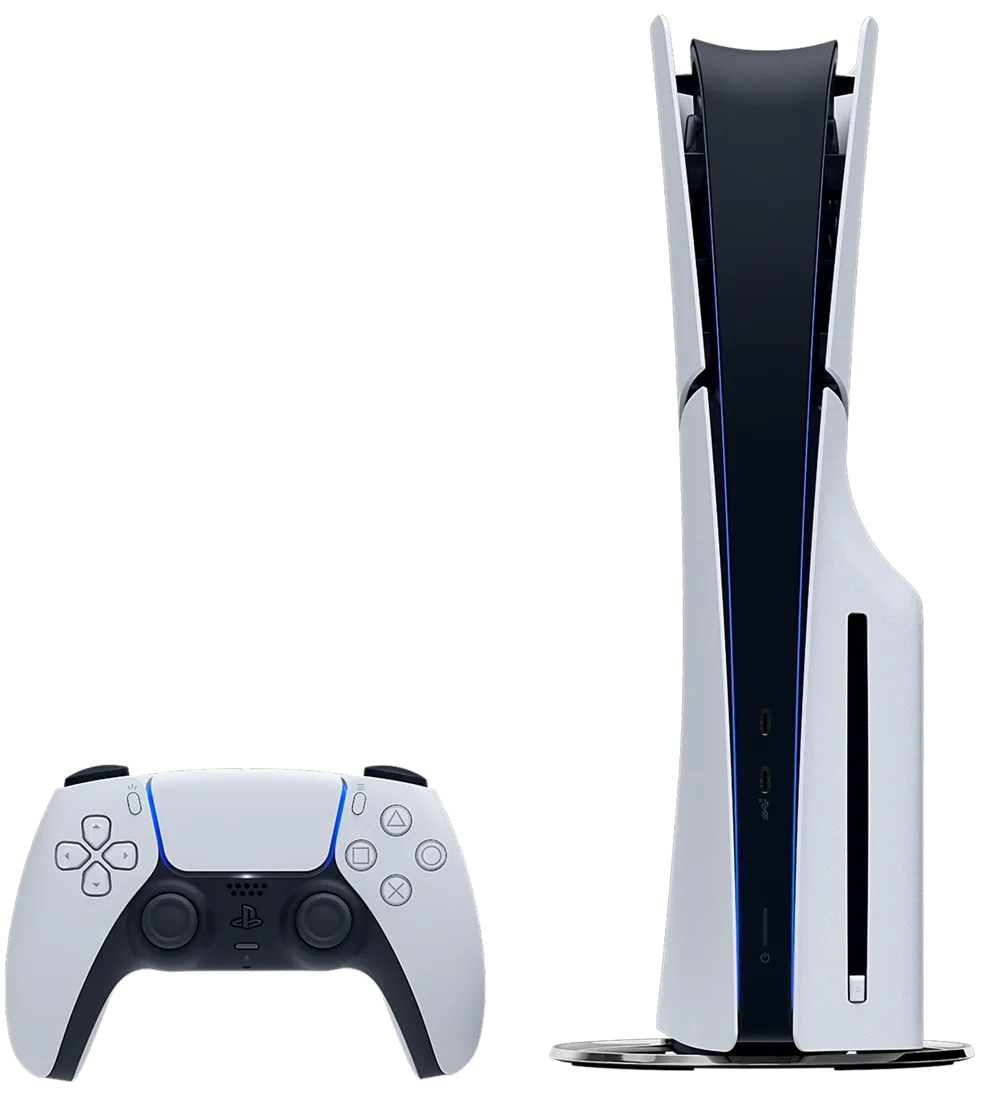
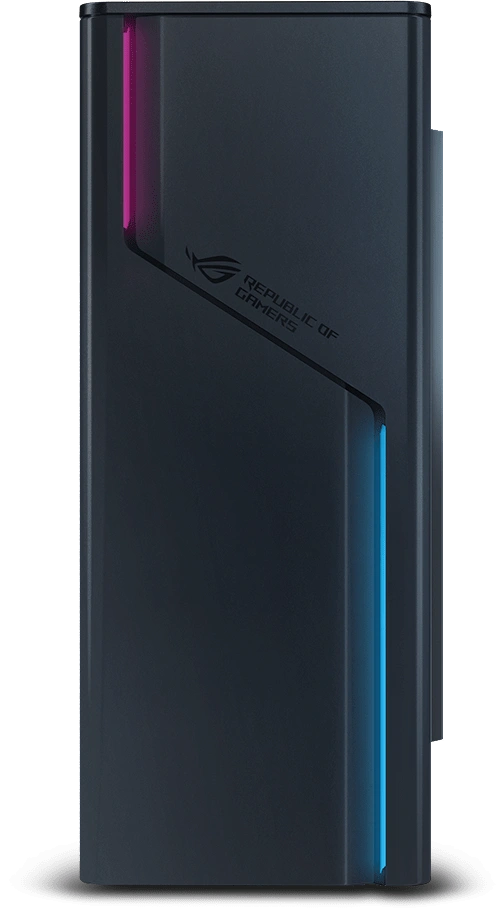
A PS5 is a console family; a gaming PC is a configuration
Before comparing prices, identify which PS5 you are looking at. In the US, PlayStation’s official page currently lists the PS5 console with a disc drive, the PS5 Digital Edition and the PS5 Pro. The Digital Edition can add a disc drive sold separately, so a listing should state the model, storage capacity, whether a drive is included, condition and accessories. Do not treat a standard model, a Digital Edition and a Pro as the same offer.
On the PC side, the word “gaming” does not describe performance. You need the processor, graphics card, memory, SSD, power supply and motherboard. There are compact prebuilt desktops, such as the ASUS ROG G22CH, and towers assembled by retailers in many different cases. The look of the case says nothing about the parts inside it.
| Criterion | PS5 | Gaming PC |
|---|---|---|
| Work and development | Does not replace a work computer | Can combine work, study and games |
| Game settings | Modes and options defined for the console | Options vary by game and components |
| Library | Games released for PlayStation | Games and stores compatible with the PC’s operating system |
| Expansion | Storage that meets Sony’s requirements | Depends on motherboard, case, power supply and parts |
| Physical discs | Requires a model with a compatible disc drive | Game purchases usually go through PC storefronts |
| Living-room use | Interface built around the controller | Possible, but needs connection and setup planning |
When the PC should come first
If you need to code, build presentations, edit client files or run technical tools, buy a machine that handles those tasks properly. A console does not solve the lack of that computer. In this scenario, gaming is one part of a purchase that already has other essential jobs.
For web development, list your environment: a browser with many tabs, an editor, a database, containers and local services. For creative work, check the requirements of your video editor, 3D modeler or design app. Only then split the budget between processor, RAM, graphics card and storage. Putting almost all of the money into the graphics card can leave your work limited by other components.
Also think about calls and meetings. A PC used for both work calls and games needs suitable audio, a webcam or other accessories, and those items are not part of a bare tower’s price. If you already own a monitor and peripherals, check compatibility before buying everything again.
When a PS5 is the more sensible add-on
If your current laptop or desktop already works well for your job, a console can save you from replacing a computer that did not need replacing. The goal becomes playing where you want, with the right library and the least amount of setup you are willing to manage in your free time.
For someone who works all day at the same desk, moving to the couch can have real value. That does not strictly require a console, since a PC can also be connected to a TV. The difference is how much effort you accept for cables, controllers, start-up and updates in that room.
Do not buy a PS5 expecting no downloads or settings at all. Games and the system receive updates, storage needs managing and your connection still matters. The advantage is a more standardized platform, not the absence of maintenance.
What owners of both platforms add
sunnyk879 wrote: “I use a computer for work all day, i dont want to come home and game on a computer.” (read the comment thread). That is a preference tied to routine, not a claim that one device is more powerful. For a remote worker, physically separating leisure from the workstation can be a valid criterion.
myfeetsmells wrote: “With a PS5, I can navigate just using the controller” (read the comment thread). They had connected a PC to the TV but preferred the PS5’s controller-first navigation. It describes their setup; it does not mean every PC needs a keyboard at every step. Before buying, picture how you would launch games and handle system prompts from the couch.
Jealous-Juggernaut85 wrote: “I fully transitioned to PC as I game more on that” (read the comment thread). Concentrating the budget where you actually play helps avoid an impulse purchase of a second platform. If your library, friends and favorite games already live on one platform, switching has to deliver an advantage you will really use.
nattydread69 wrote: “I tend to buy games on PS5 because I like to sell the physical disk.” (read the comment thread). That habit requires a console with a disc drive and a per-game cost comparison. It does not work the same way with a digital-only setup, where your library follows a different path.
Do not compare any PC with a 4K promise
A listing that says “16 GB,” “Core i5” and “4 GB graphics” is still not enough to judge a machine. You need the processor generation and model number, the exact graphics card and the memory configuration. The amount of video memory alone does not identify a card’s performance.
To create a budget reference, look up a clearly described configuration, such as a Ryzen 5 5600, a Radeon RX 7600, 16 GB of RAM and an identified SSD. That is not an automatic equivalent to a PS5, nor a frame-rate promise. AMD publishes the specifications for the processor and the graphics card; game results depend on testing the complete system and the settings used.
Compare the games you plan to play, at your display’s resolution, with similar quality settings and features. A video that uses upscaling, frame generation or reduced settings should not be compared without explanation against a console mode. Look at stability, not just the highest frame rate shown in one scene.
On the PS5, resolution and frame rate vary by game and mode. Owning a TV with a given capability does not make every game use it. Before buying a new screen, check the game’s support and the connection required. The extra spending only makes sense when the whole setup can use the feature you want.
Library and subscriptions can change the answer
List the five games you most want to play and check platform, edition and price for each. Sony keeps a page of PlayStation games available on PC, released through stores such as Steam and the Epic Games Store, but that does not mean every release reaches both platforms at the same time. Do not base the purchase on an unconfirmed future release.
On the console, review the current PlayStation Plus tiers: Essential, Extra and Premium. Sony lists online multiplayer as included with all PlayStation Plus memberships, so factor a membership into the cost if you play online. Subscription catalogs also change over time. Compare the games you will actually play rather than treating the size of a catalog as guaranteed savings.
On a PC, confirm which store and operating system each game runs on. A work machine running Linux or another environment is not guaranteed to support every game or anti-cheat system. If you need Windows, check the license and setup included by the seller, plus the effort of maintaining two environments when that is necessary.
Add up the first year
Split costs into three groups: missing hardware, missing accessories, and the games or services you plan to buy. For the console, consider a compatible screen, an extra controller if needed, storage and an applicable subscription. For the PC, include the monitor, peripherals, operating system, networking and audio, depending on the offer. In the US, also include sales tax and shipping, and read each retailer’s return window before you buy.
Do not count again a TV or monitor you already own and will keep using. And do not compare a bare tower with a console bundle full of accessories without explaining the difference. The comparison becomes useful when both setups are ready for the use you planned.
Expansion deserves attention on both sides. On the PS5, an added M.2 SSD has to meet Sony’s requirements: a PCIe Gen4 x4 NVMe drive, 250 GB to 8 TB, a compatible size and an effective heat-dissipation structure such as a heatsink. On a PC, confirm slots, power supply and case space. A large tower does not guarantee that a new graphics card will fit; a compact desktop may have specific limits.
Written warranty terms also differ between sellers. The FTC’s warranty guide recommends reviewing what is covered, how to make a claim and what shipping or labor costs you might pay, and keeping proof of purchase.
Checklist before you choose
- Do you still need to buy a computer for work or school?
- Where do you want to play: at your desk, on the couch or both?
- What are your five priority games, and where are they available?
- What exact configuration is included in the PC listing?
- Does the PS5 offer identify the model, disc drive, storage and condition?
- Does the cost include the accessories and services you need for the first year?
If expanding the console’s storage is part of the budget, see how to choose a PS5 SSD and heatsink.
Frequently asked questions
Can a cheap gaming PC replace a PS5?
Not without identifying the parts and the games. The word “gaming” in a listing does not prove performance. Compare the full configuration, resolution, equivalent tests and warranty. If the goal also includes work, count that extra usefulness without confusing it with graphics capability.
Can a PS5 work like a computer?
For development, editing and office applications, plan for a proper computer. The PS5 is built for a different kind of use. If the budget only allows one device and you need to run those programs, the work requirement should drive the first purchase.
Which is cheaper in the long run?
It depends on the initial purchase, your library, subscriptions and future upgrades. There is no universal saving. Compare a specific setup and the games you plan to buy, including used physical games where that applies, instead of treating future prices or resale values as guaranteed.
The verdict
Choose a gaming PC when you need one machine for both work and games and can evaluate an identified configuration. Choose a PS5 when your computer is already sorted and the console experience fits your library and your space. The best purchase is the one you will use often and that arrives complete for your routine, not the one that wins a generic spec comparison.
Sources
- PlayStation 5 — PlayStation US
- ASUS ROG G22CH — official US product page
- AMD Ryzen 5 5600 — specifications
- AMD Radeon RX 7600 — specifications
- PlayStation games on PC — Sony
- PlayStation Plus plans and benefits
- M.2 SSD requirements for PS5 — Sony
- Warranties — US Federal Trade Commission
Sources and references
- PlayStation 5 — PlayStation US
- ASUS ROG G22CH — official US product page
- read the comment thread
- read the comment thread
- AMD Ryzen 5 5600 — specifications
- AMD Radeon RX 7600 — specifications
- PlayStation games on PC — Sony
- PlayStation Plus plans and benefits
- M.2 SSD requirements for PS5 — Sony
- Warranties — US Federal Trade Commission