BLOG

A 650 W 80 PLUS power supply may fit many work PCs, but the number and efficiency badge do not establish that a particular model is a safe purchase for your build. Estimate the demand of the CPU, graphics card, and other components. Then check connectors, physical format, documented protections, warranty, and space inside the case. A computer used for client projects, editing, or daily support needs a supply that fits its complete configuration with reasonable headroom.
Is 650 W enough for your computer?
There is no answer without a component list. A desktop with integrated graphics has different requirements from a workstation with a GPU used for editing or rendering. Record the CPU, graphics card, drives, fans, and powered internal accessories. Seasonic’s wattage calculator can provide an initial estimate, but it is not a physical measurement of your machine. Check official recommendations for your GPU in particular and allow a practical margin for load peaks.
Headroom can accommodate reasonable changes, but an unnecessarily large unit does not make the PC faster. The aim is a suitable range for the actual configuration. If a specific GPU upgrade is planned soon, include it in the estimate now. If the future configuration is unknown, avoid paying for an extreme hypothetical build at the expense of a well-documented current model.
What the 80 PLUS badge measures
The 80 PLUS program classifies power-supply efficiency under specified test conditions. Efficiency concerns conversion of input power into useful output; it is not a complete rating of electrical protections, component quality, acoustic behavior, durability, or compatibility. Two Bronze-certified units can have very different designs. Search for the exact model in certification information and read the manufacturer specification.
Likewise, a nominal 650 W rating is not a constant draw of 650 W from the wall. The PC’s demand changes with its workload. A browser meeting can differ from a long render. Efficiency affects conversion losses, but the electricity bill depends on the actual system, hours used, and local rates. There is no defensible universal savings amount for buying a higher efficiency tier.
Connectors and the ATX standard
Compare the required connectors on the motherboard, CPU, GPU, and drives with the exact PSU cable list. A model can have adequate total wattage but lack a native cable for the graphics card. Check its ATX specification and any current GPU connector requirements. Do not rely on improvised adapters without technical confirmation from the relevant manufacturers.
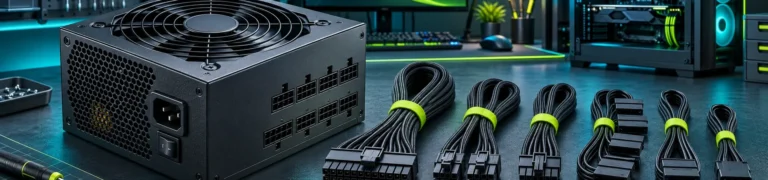
For a modular PSU, use only cables confirmed compatible with that specific unit. External connectors may fit even when the pin arrangement at the PSU differs. Cable length also matters in a large case or a case that routes wires behind the motherboard tray. In a compact case, confirm the PSU’s dimensions, fan orientation, and space to bend the cables. Check the entire component list and case manual before ordering.
Four checks that determine fit
| Item | Verify | Reason |
|---|---|---|
| Wattage | CPU, GPU, and sensible margin | Support actual and peak loads |
| Efficiency | Exact model’s certification | Understand losses under the standard |
| Cables | Native connectors and length | Avoid improvised installation |
| Design | Protections, warranty, and support | Reliability of the work PC |
Protections and warranty are separate questions
Read the manufacturer’s declaration for overvoltage, overcurrent, short circuit, and other protections on the exact model. The 80 PLUS badge alone does not certify them. Confirm warranty terms and support in the United States. A cheap, poorly identified unit can be false economy for a PC holding client projects and supporting daily business operations.
A PSU does not replace sound building wiring, surge protection, or continuity planning for power outages. Those solve different problems. If an office has frequent interruptions or questionable outlets, have the electrical environment evaluated by a qualified professional. High nominal wattage does not make an unsafe installation safe.
Fan noise and a recording workspace
A person recording classes or podcasts beside a desktop may notice fan sound. The PSU can contribute, but GPU fans, CPU cooling, case airflow, vibration, and the room itself may dominate. Read the model’s ventilation behavior and look for relevant independent tests, distinguishing them from marketing demonstrations. Identify the current noise source before replacing a functioning power supply.
A suitable PSU in a ventilated case helps manage the system’s thermal conditions, but cooling is a whole-PC design. Keep intakes clear and follow the case maker’s installation instructions. An editing machine also depends on CPU and GPU temperatures. Do not assume one quieter component will make the entire workstation silent.
Comparing 650 W listings
- Identify manufacturer, line, exact model, and SKU.
- Estimate demand using the actual CPU and GPU.
- Check connectors, ATX specification, and physical dimensions.
- Verify certification for that precise model in the 80 PLUS information.
- Read documented protections and warranty terms.
- Confirm that all required cables are included.
- Compare total cost without unsafe adapters.
A retail page may combine several wattages or revisions in one listing. Inspect the variant selected in the cart. A generic “80 Plus” phrase without a traceable model and detailed specification deserves caution. For a work machine, documentation and a clear warranty are practical requirements.
Modular, semimodular, or fixed cables?
Modular cables can make a compact build easier to organize. Fixed cables eliminate loose parts and can be perfectly adequate for a simple desktop. Cabling style alone does not define electrical quality. Choose according to case space, necessary connectors, and cost of the complete unit. If the PSU is modular, label and store its original unused cables for later changes.
Neat routing can make maintenance and airflow easier, but the effect depends on case design and the installation. Do not pay for modularity purely for appearance if it removes budget from a better-documented PSU or another real bottleneck. Verify input voltage on the exact label and compatibility with any UPS or power equipment already used. Ask a qualified professional about electrical installation questions.
Install and test the complete system
Allow time for careful installation, cable organization, and a workload check before relying on the PC for a deadline. Booting to a desktop is not enough. Run the applications, storage, and peripherals used during normal work. If the system shuts down under load or produces unusual noise, stop and diagnose the entire setup rather than assuming the new PSU is solely responsible.
Never open a PSU for internal cleaning or repair; dangerous stored energy can remain after unplugging. Follow manufacturer instructions and seek qualified service for faults. Keep purchase evidence and original accessories so warranty support is possible.
One modular-cable experience
A Corsair CX650M owner reported losing PCIe cables during a move and needing to identify compatible replacements before a GPU upgrade. It is a maintenance example, not a measurement of PSU electrical quality. It shows why keeping the original cables matters to the cost and feasibility of later changes.
Frequently asked questions
Does a 650 W PSU work with every graphics card?
No. Check the GPU maker’s recommendation, connectors, and the demand of the rest of the system.
Does 80 PLUS Bronze mean it is a good PSU overall?
It indicates a defined efficiency classification. Design, protections, support, and fit need separate review.
Will a larger power supply improve performance?
Not when the existing PSU already meets the system’s requirements. It provides power; it does not accelerate the CPU or GPU.
Can I reuse modular cables from another unit?
Only with explicit manufacturer confirmation for the exact models. Similar connectors may have different pinouts.
Verdict
A 650 W 80 PLUS supply is a candidate when its precise model meets the computer’s load, connector, protection, space, and support needs. Verify certification, warranty, and installation details before choosing by price. For a PC that earns its place in a business workflow, a documented and compatible supply matters more than a generic 650 W badge.
Sources
Seasonic wattage calculator · 80 PLUS program · Individual cable discussion.