BLOG

To use ChatGPT at work, turn a specific task into a request with context, reference material, and a review standard. It can help draft a proposal, organize information, or revise text. The result becomes usable when you check the facts, adapt it to the situation, and decide what is appropriate to send to a customer.
Start with a recurring, reversible task: summarizing a meeting, organizing a brief, or improving a service description. Do not begin by handing over commercial decisions, automatic publication, or answers that depend on information the tool has not received. The difference between a generic response and a useful draft often comes from defining the task and reviewing what follows.
Choose a task with identifiable input and output
“Help my business” does not explain what needs to change. “Turn these notes into questions for a website design brief” defines the transformation. Identify the source document, who will use the answer, and the required format. If information is missing, ask the tool to list unanswered questions instead of filling gaps on its own.
For a service provider, three starting tasks are relatively easy to check: converting notes into an outline, improving the clarity of a text, and comparing two document versions. Preserve the original in every case. You can then assess what was omitted, changed, or added before bringing the response into your company’s process.
| Task | Useful input | Human review |
|---|---|---|
| Draft a proposal | Approved scope, deliverables, and terms | Prices, deadlines, and commitments |
| Organize a meeting | Notes or an authorized record | Decisions, owners, and dates |
| Revise a service page | Existing text and audience description | Claims, information, and tone |
| Analyze a spreadsheet | A file with defined columns | Formulas, filters, and sample rows |
Open a conversation and provide the necessary context
Open ChatGPT on its website or in the app, start a conversation, and describe the task in the message box. Explain who will read the result, how it will be used, and which information must remain unchanged. You do not need an elaborate role-playing instruction to begin. A direct request with relevant input is easier to review.
Separate your instructions from the reference material. You can label sections “Task” and “Source text,” making clear that the supplied document is material to analyze. This helps distinguish your request from instructions embedded in a third-party document; it does not guarantee protection against every misleading instruction. Keep the original contract, proposal, or customer message outside the conversation.
A complete prompt for reviewing a proposal
The following template is a starting point for someone designing websites, handling customer inquiries, or preparing quotes. Paste only information you are authorized to share. Change the task as needed while preserving the restrictions and the way you will check the response.
Review the clarity of this website design proposal for a service business.
Audience: the business owner, with no technical knowledge assumed.
Goal: make the scope and next steps easier to understand.
Preserve all prices, deadlines, quantities, terms, and deliverables exactly.
Do not add benefits, guarantees, features, or commitments.
Return the revised text and a separate list of questions and suggested changes.
If information is missing, ask a question rather than inventing an answer.

Source text:
[Paste the authorized version of the proposal here.]
The separate change list matters because it helps you examine the intervention. If the tool changes “up to five pages” into “a complete website,” the wording may sound better while becoming less precise. Reject that change and request a version preserving the original limit. The aim is clearer communication without changing the commitment.
Use files deliberately, then check what was read
When the task depends on a document or spreadsheet, use the attachment control near the message box and select the file. Wait for the upload, then say what operation you want performed. OpenAI’s file upload documentation explains supported uses and availability, which can depend on the plan, account settings, region, and client.
Do not assume that attaching a file means every part was read perfectly. Ask a locating question first: request the headings found, the spreadsheet columns, or the section containing a particular deadline. Compare an answer with the original. If a PDF has complex tables or images, inspect the part relevant to your decision rather than testing only its first page.
For a customer spreadsheet, explain each column and what counts as a duplicate. “Count the customers” can mean different things if one business has several opportunities. Ask for the applied rule, filters, and a small sample of included rows. Compare the count with the spreadsheet itself before putting the number in a presentation.
When researching the web, open the cited sources
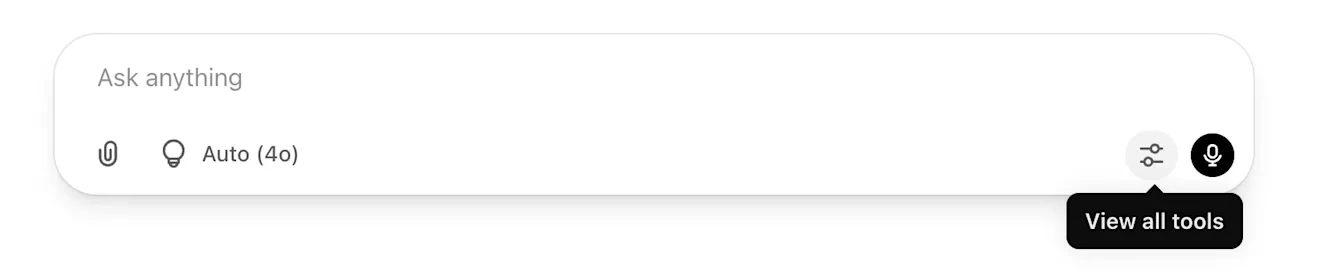
For current information, use the search capability available in the conversation. OpenAI’s web search guidance describes selecting Search from the tools menu and using sources in answers. The interface and usage limits can vary. If the control looks different, check the tools available in the client you are using rather than assuming the screenshot represents every account.
Ask for official sources beside claims about pricing, features, compatibility, or platform rules. Open the links and find the supporting statement. A citation can lead to a genuine page without supporting the sentence attached to it. Check dates too: an announcement of a gradual rollout does not prove that every account already has the feature.
Avoid framing the request as confirmation of a decision you have already made. Ask “What evidence supports or contradicts this option?” When comparing business tools, distinguish the app subscription, API usage, limits, and additional services. An apparently straightforward answer can mix charges from different products if the question does not define the setup.
Review the response in three passes
First, check fidelity: names, dates, prices, numbers, and conditions must match the authorized material. Second, check usefulness: does the answer help someone do the task, or merely repeat general concepts? Third, check tone and audience: does it sound like your business, and does it fit the channel where you will use it?
Compare text paragraph by paragraph when sensitive commercial details are involved. Test code or formulas in an appropriate environment with sample data and failure cases. For meeting summaries, verify who owns each action. Asking “Is this correct?” in the same conversation and accepting another confident answer is not independent verification.
Give specific feedback: “Keep the second paragraph,” “Remove the promised savings,” or “The correct column is closing date.” This makes the next revision easier to assess and records the decision. If information is missing, supply it. Asking for more detail without a better source can produce a longer answer with the same uncertainty.
Organize recurring work without mixing clients
When several tasks depend on the same context, a project can bring together conversations, files, and instructions. Create the project through the interface, give it an identifiable name, and add only necessary documents. The Projects documentation explains how context, sharing, and settings work in the relevant account or workspace.
Separate clients and purposes. One company’s content project should not receive another client’s confidential proposal simply for convenience. Keep instructions short: audience, tone, terms to preserve, and output format. Update reference files when pricing or conditions change, and verify which version supports the answer. An old conversation should not be assumed current.
Set data controls for the way you work
Before sharing customer material, check your company’s policy and minimize personal information and secrets. In a personal account, open Settings, select Data controls, and examine the option called “Improve the model for everyone.” Turning it off changes how new conversations are used for model training; it does not automatically delete chat history. The data controls documentation distinguishes those choices.
Business workspaces can have their own administrative and retention policies. Do not treat a training setting as unrestricted permission to upload any document. If you only need help with a proposal’s structure, replace customer identifiers while retaining the commercial fields that need review. Restore the details later in the final version controlled by your business.
Also consider who needs the result. A draft prepared for internal planning may contain unresolved questions or working assumptions that should not appear in a customer message. Keep those notes separate from the version approved for sending. The person responsible for the communication still decides which information leaves the company.
Frequently asked questions
Do I need a paid plan to start?
Start with the capabilities available in your account and check current limits. Test a complete task before subscribing based on expectations. Uploads, search, models, and organization features can vary. Do not assume a ChatGPT subscription pays for an API-based automation; check the specific billing arrangement and any explicitly included offer.
Can I send the first response straight to a customer?
Check the facts and commercial commitments first. One added sentence can change the timeline, scope, or expectation. For recurring work, use a short review checklist and identify the person responsible for approval. Fluent writing does not establish that the information is correct.
What is a good first request?
One that specifies the task, context, source, restrictions, and format. Start with a small result you can inspect completely. When it works in your process, expand the task while keeping the same checks. If you are later considering a connected workflow, read when n8n makes sense for a small business before automating actions.
Start with a result you can verify
Choose text, meeting notes, or a spreadsheet already used in your routine. Prepare authorized input, describe the transformation, check that the source was understood, and review the result before using it. ChatGPT becomes more useful at work when it is part of a clear process with sources, review criteria, and ownership of the final decision.