BLOG

The JBL PartyBox On-The-Go 2 is worth considering when moving the speaker is part of the job and one wireless microphone covers most activities. Its horizontal cabinet, center handle and shoulder strap offer a different carrying arrangement from an upright party speaker. For store demonstrations, customer gatherings and team activities, that can matter as much as a specification on the box.
This guide covers the standard On-The-Go 2 using JBL’s one-microphone documentation. It is not the On-The-Go 2 Plus. US listings can mix names and descriptions, so match the exact product number and contents before ordering. This is a researched buying guide, not a claim that we conducted our own listening, carrying or battery tests.
Understand in 45 seconds
Key details
- Rated power
- 100 W RMS
- Reference package
- 1 wireless microphone
- Claimed playtime
- Up to 15 hours
- Wireless
- Bluetooth 5.4
- Splash resistance
- IPX4
- Net weight
- 14.02 lb
Technical specifications
Audio and connections
- Rated output
- 100 W RMS (IEC60268)
- Drivers
- One 5.25-inch woofer; two 0.75-inch tweeters
- Frequency response
- 40 Hz–20 kHz (-6 dB)
- Bluetooth
- 5.4
Power and package
- Music playtime
- Up to 15 hours; varies with volume and content
- Charging time
- Under 3.5 hours with speaker off
- AC input
- 100–240 V, 50/60 Hz
- Included microphones
- 1 wireless; verify exact SKU
Dimensions and operation
- Size (W × H × D)
- 19.72 × 10.16 × 8.70 in (501 × 258 × 221 mm)
- Net weight
- 14.02 lb (6.36 kg)
- Water protection
- IPX4 splash resistance
- Speaker linking
- Auracast; check compatible models
- Control app
- JBL PartyBox
- Carrying arrangement
- Handle and shoulder strap
The work task to define before choosing a speaker
Imagine taking music and a microphone to a customer demonstration, then packing everything for another location the following day. The speaker must fit your vehicle, arrive with enough charge and sit safely where the activity takes place. In that situation, an easy carrying arrangement may be more valuable than another lighting effect. It still needs to work for the room and the person who transports it.
Define whether the priority is spoken explanation, background music or karaoke. A single host describing a service needs a different routine from two guests singing together. A quiet meeting room also differs from a sidewalk event beside traffic. Establishing the task first makes the buying checklist shorter and more meaningful: microphones, placement, connections, route and power, rather than a vague search for the loudest portable box.
Standard On-The-Go 2 versus On-The-Go 2 Plus
JBL’s standard On-The-Go 2 product documentation identifies a wireless digital microphone and the JBL PartyBox app. The separate On-The-Go 2 Plus is marketed with EasySing vocal-removal features. Do not assume those Plus features are included in a standard On-The-Go 2 merely because a retailer shortens the name.
Compare the model code, microphone description, app references and what’s-in-the-box section. If those disagree, request clarification before purchasing. The distinction also matters when following a tutorial or buying an accessory: instructions for a nearby name may refer to different equipment. US buyers should confirm the actual seller’s package and support arrangements rather than assuming that a global product page guarantees local stock.
A shoulder strap does not remove fourteen pounds
The standard model is approximately 19.72 inches wide, 10.16 inches tall and 8.70 inches deep, with a net weight of 14.02 pounds. These measurements come from JBL’s one-microphone English specification sheet. Measure your trunk, shelf and support surface, including room for cables and nearby objects.
The shoulder strap can leave a hand available for a door or another small item, but carrying comfort depends on the person and route. Consider parking distance, stairs and everything else that travels with the speaker. Do a realistic walk-through before assuming that one person can bring the entire presentation kit in one trip. Once installed, keep the strap out of walkways and use a stable surface.
One microphone: decide whether sharing will work
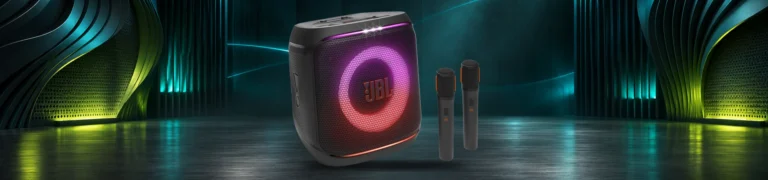
The specified package includes one wireless microphone and a holder. That may be enough for a host, instructor or short demonstration. If a guest occasionally speaks, passing the microphone can work when the activity is organized around that limitation. Two people speaking or singing simultaneously create a different requirement that should be settled before the purchase.
Do not presume that any JBL wireless microphone pairs directly with this speaker. Confirm compatibility, connection method and availability for the exact model. Regional packages can also differ. A photograph of two microphones elsewhere online is not evidence that your order includes two. If a second microphone is essential, establish the supported solution and total cost before comparing the standard package against an alternative.
Speech clarity depends on placement, not just watts
JBL specifies 100 W RMS with one 5.25-inch woofer and two 0.75-inch tweeters. That describes the configuration; it does not establish how many participants will hear every word. Distance, background conversations, road noise and reflective surfaces can overwhelm a setup that sounds adequate in a quiet room. There is no reliable universal audience count to infer from the power figure.
At rehearsal, turn music down and check the voice first. Ask someone to stand near the back of the occupied area and listen to normal sentences. If speech becomes unclear, reconsider placement and the environment before pushing controls to their maximum. Keep the microphone out of the speaker’s direct sound path. If feedback appears, reduce the level and fix the arrangement before continuing.
How to plan for the advertised battery life
The advertised maximum is up to 15 hours, varying with volume and audio content. That is a planning reference rather than a promise for a loud, all-day event. Rehearse using the intended source and settings, and allow margin for setup and delays. A playlist played quietly during preparation is not the same workload as extended high-level music during the activity.
The specification lists charging in under 3.5 hours with the speaker off. Schedule charging before departure and check microphone power separately. If your plan depends on a replaceable spare battery, confirm the exact compatible part and the documented procedure. Include the time needed to stop, change components and check operation. A backup strategy is useful only if the operator knows how to carry it out.
Playback, presentations and recording use different audio paths
Bluetooth 5.4, the PartyBox app and Auracast linking are documented features of the standard model. Wireless playback may simplify a playlist, but the source device still needs preparation. Decide who owns the playback phone, how calls and notifications will be handled and where the device stays. Test the full arrangement rather than assuming that pairing once proves it will suit the event.
For a video presentation, check synchronization with the actual screen and source. For a recorded interview or live stream, trace how voice reaches the computer or camera. A speaker that includes a microphone is not automatically a recording interface. Auracast also does not establish compatibility with every product bearing the same brand. Consult the relevant equipment instructions before relying on linked speakers for a scheduled activity.
Match the purchase to the main requirement
| Situation | Decision to make first |
|---|---|
| One host moving between locations | Check the route, carrying comfort and available support |
| Two regular speakers or singers | Confirm the supported second-microphone solution |
| Karaoke with vocal removal | Distinguish the standard model from the Plus package |
| Recording or streaming an event | Establish a separate, verified capture path |
What an owner’s microphone experience can teach you
In a public On-The-Go 2 discussion, an owner described difficulty finding a second matching microphone after buying the speaker as a gift. The post mentions EasySing, so the precise standard-versus-Plus package is not established by the shortened name. The report concerns that person’s market and available accessories. It does not establish that every regional version has the same limitation or that expansion is impossible.
The useful lesson is to resolve an essential accessory requirement before ordering the main speaker. Ask for the specific compatible model and keep that information with the purchase record. If a second voice is central to your regular activities, missing clarity on expansion can outweigh the carrying convenience. If one microphone consistently meets the task, the same issue may matter much less.
IPX4 and the rest of the event setup
IPX4 means splash resistance for the speaker, not permission to submerge it or wash it with a pressurized stream. An outdoor business event also involves microphones, power connections and the playback device. Do not extend the cabinet’s rating to everything around it. Choose shelter and cable routing appropriate to the site, and follow the manufacturer’s instructions for operating and charging.
Think through changing conditions before guests arrive. Can the equipment be moved without dragging connected cables through a crowd? Is the power route protected from foot traffic? A shoulder strap helps during transport, but it is not a support for an operating installation. Once positioned, the cabinet should remain secure and clear of circulation routes.
Receive and rehearse the kit before a booked event
- Compare the delivered model and condition with the order.
- Check the microphone, holder, strap and supplied power cord against the package list.
- Charge the required components according to the instructions.
- Play a familiar track, then test the microphone with the music off.
- Reproduce the intended presentation and check it from the audience position.
- Pack the confirmed accessories together and record the working connection method.
Keep the packaging and order documentation while checking the purchase. If a promised component is missing, resolve the discrepancy with the seller instead of improvising around it on the event date. The first test should happen early enough to leave a realistic correction window. Simply switching on and hearing music does not prove that the full task is covered.
Frequently asked questions
Is the On-The-Go 2 the same as the On-The-Go Essential?
No. Similar names do not establish identical features or accessories. This guide uses the standard On-The-Go 2 one-microphone documentation. Match the full name and model code when following instructions or comparing offers.
Is it the best choice for two-person karaoke?
The reference package supplies one microphone, so it does not resolve two simultaneous voices by itself. Compare the supported expansion route with the Encore 2 two-microphone option. Evaluate the complete kit rather than treating similar wattage as equivalent equipment.
Does the strap make it suitable for long walks?
That depends on the person, distance and other equipment. About fourteen pounds remains a meaningful load. Check comfort and the complete route instead of judging portability from a product photograph.
When the standard On-The-Go 2 is worth considering
I would shortlist it when frequent transport matters, the horizontal cabinet fits the intended support and one microphone serves most activities. I would pause if the plan requires an unconfirmed second microphone, Plus-specific features or an untested recording connection. Confirm the version, rehearse the actual task and build in power margin. A useful purchase resolves both the journey to the venue and the activity once you arrive.