BLOG

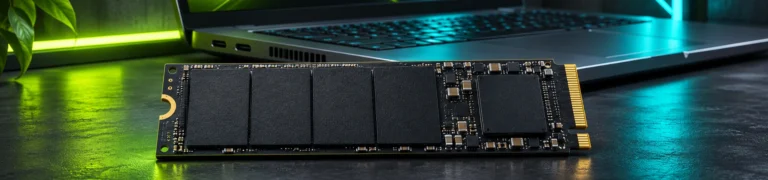
The 2TB Samsung 990 PRO can make sense in a video-editing workstation when its M.2 NVMe slot, thermal arrangement and real storage workload justify it. Check the exact version with or without a heatsink before buying. Then protect the existing media, plan the installation and verify firmware through Samsung’s official tools. A fast SSD by itself cannot shorten every export or fix a project limited by the processor, graphics hardware or source media. Samsung’s 990 PRO series brochure provides model-specific figures, not a benchmark for your computer.
What the 2TB 990 PRO specifications actually say
| Specification | Samsung 2TB figure | Why it matters |
|---|---|---|
| Form factor | M.2 2280 | Check slot length and mounting clearance. |
| Interface | PCIe 4.0 x4; NVMe 2.0 | The host determines the available interface speed. |
| Sequential read/write | Up to 7,450/6,900 MB/s | Peak specification, not an export-time promise. |
| Cache | 2GB LPDDR4 DRAM | Part of this capacity’s design, not a substitute for system RAM. |
| Endurance | 1,200TB written | A rated limit; maintain backups regardless. |
| Warranty | Five-year limited or TBW limit | Confirm applicable terms for the exact SKU. |
These details come from the Samsung brochure and Samsung’s US product information for the 2TB SKU. Capacity, physical height and included heatsink vary by version. Match the listing’s complete part number before carrying a measurement over from a different 990 PRO package.
Confirm the computer’s slot and interface
Read the motherboard or laptop service documentation for the intended M.2 position. M.2 indicates the physical form; NVMe is the protocol. Check that the slot supports PCIe NVMe, holds an 80 mm module and has the required fastener. Some systems share lanes or disable another connector depending on which slot is populated. The motherboard manual, not the SSD’s marketing number, determines those interactions.
Samsung documents compatibility with PCIe 3.0 for the series, but a slower host link limits the rate available to the drive. Do not promise PCIe 4.0 headline speeds in a PCIe 3.0 laptop. If an adapter is proposed, check the computer’s boot and lane support rather than treating an adapter as a universal route to the same result as a direct supported slot.
Choose the heatsink version by available space
The 990 PRO is sold with and without a factory heatsink. The heatsink version adds height and width compared with the bare module; Samsung’s heatsink data sheet lists the dimensions and says the installed heatsink should not be removed. A laptop cover or motherboard shroud may not provide room for it. Check the actual mounting area, including any thermal pad or plate supplied by the computer maker.
If the motherboard already has an SSD heatsink, use the installation instructions for that board and the chosen SSD. Do not stack thermal pieces or remove a factory assembly by guesswork. A heatsink does not guarantee a particular temperature in every case, and a bare version does not mean the system has no thermal provision. Airflow, neighboring components and sustained workload still affect the installation.
Match 2TB capacity to the editing workflow
List operating system, software, camera originals, proxies, cache, render files and active projects. The nominal 2TB capacity is not fully free after formatting and application setup. Decide which media must stay on the fast working drive and which can be archived elsewhere. A drive that is large enough for one short project may fill quickly if multiple jobs, proxy sets and export versions remain active together.
When moving projects across drives, identify whether the editor links media by absolute path or another location reference. Copying a folder does not guarantee that a timeline will find every clip. Use the editor’s media-management method where appropriate and open a copy of the project before deleting or moving originals. The value of additional capacity depends on keeping the work coherent, not only on displaying a larger free-space number.
Prepare migration and backup before installation
If the 990 PRO will replace the system drive, choose between cloning and reinstalling based on the current installation and the available connection method. Verify destination size, encryption, partitions and boot requirements before cloning. A fresh installation needs installers, sign-ins, licenses and work settings. Neither method is an excuse to proceed without an independent copy of client files.
Confirm that backup by opening representative files. Identify source and destination clearly in a cloning utility; reversing them can overwrite the original drive. Keep the old SSD unchanged until the new system starts, editing applications work and current projects open. If the 990 PRO is only a project drive, plan folder structure and backup from the start. A new SSD is still a single storage device, not a data-protection strategy.
Check firmware with Samsung’s own tools
Samsung provides Magician software and firmware resources for its SSDs. Identify the exact installed model and current firmware in the supported tool before deciding whether an update applies. Do not install a file for another drive because a forum post mentions a similar number. An older user’s firmware version describes their situation at that time, not the required update today.
Before a firmware change, preserve a backup and follow Samsung’s published instructions, including power and restart requirements. Do not interrupt an update or work around a tool’s compatibility warning by guessing. Afterward, verify the recognized drive and reopen the applications and files needed for work. Firmware maintenance should be a controlled step in a functioning setup, not a speculative repair for every editing slowdown.
Interpret maximum speed in the whole data path
Samsung’s up-to sequential figures come from defined tests. A copy operation depends on the slower of source, destination and connection, as well as file size and system behavior. Copying footage from a USB enclosure cannot measure the maximum of the internal 990 PRO if the USB path is slower. Opening a complex project and exporting video are also different workloads; CPU, GPU, codec and other storage can dominate them.
Describe the specific step you want to improve, then compare that task before and after with the same media and settings where practical. Avoid reporting an imagined percentage gain. The meaningful result is whether the editor can load, scrub, cache or save the real project more reliably or quickly under your conditions. If the expected change does not appear, inspect the entire workflow before calling the SSD defective.
Observe longer operations and thermal conditions
A short transfer can behave differently from sustained copying, cache generation or repeated writes. If sustained work matters to your studio, use a representative task in the compatible installation and observe behavior over time. The maximum speed in a brochure is not a guaranteed sustained rate. Record any error message, performance change and diagnostic information that the system provides.
A temperature number from someone else’s 990 PRO, case and sensor cannot establish the behavior of your own installation. Even two drives from the same capacity may be mounted under different motherboard heatsinks or exposed to different airflow. If the system reports an unusual condition, verify the installed version, mounting and official guidance, then provide the measured context to support. Do not improvise thermal materials or firmware based on an isolated anecdote.
Assess cost against the actual bottleneck
Before paying for a high-end SSD, name the operation that currently takes too long and the evidence that storage is involved. If the workstation already uses a suitable fast drive while exports are limited by encoding hardware, a faster storage specification may deliver little practical benefit for that operation. On the other hand, more working capacity can matter even when peak speed is not the central problem. Compare capacity, fit and workflow, not only a rank on a benchmark chart.
Include the chosen heatsink configuration, installation effort, backup storage and any required enclosure in the decision. Avoid assuming extra income or a fixed reduction in editing hours from a specification sheet. After installation, retain backup practices and verify the jobs that justified the change.
Frequently asked questions
Is the 990 PRO 2TB compatible with every M.2 slot?
No. Confirm the intended slot supports the required NVMe/PCIe path, 2280 size and the physical height of the version you choose.
Will a PCIe 3.0 laptop reach the advertised 7,450 MB/s?
No. The host interface constrains available throughput. The headline number is an up-to figure under Samsung’s stated conditions.
Should I remove the factory heatsink to fit the drive?
Samsung’s heatsink data sheet warns against removing it. Choose a version and installation that fit the computer instead.
Verdict for video editing
The 2TB 990 PRO is useful when its capacity and PCIe NVMe performance address a real storage need and the computer can install it correctly. Confirm the version, protect the media, check official firmware information and evaluate a representative editing task. The drive can be one strong component in the workflow, but its published maximum speed cannot stand in for a test of the whole workstation.
Sources
- Samsung 990 PRO series brochure
- Samsung 990 PRO with Heatsink data sheet
- Samsung SSD tools and firmware
- Samsung US 990 PRO 2TB product information