BLOG

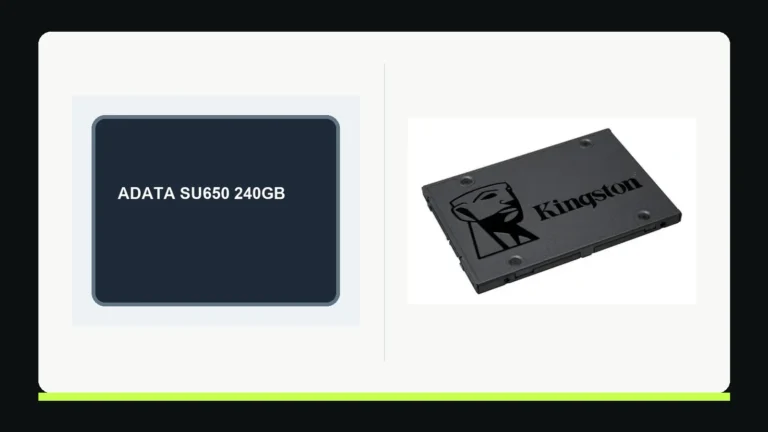
Kingston A400 240GB vs 480GB: which should you buy? The 240GB drive can be enough to replace a mechanical hard drive in a lightly used computer with a compatible 2.5-inch SATA bay. The 480GB version is more forgiving if that SSD will hold your operating system, apps and files together. Kingston lists the same maximum sequential read speed of 500MB/s for both, but 350MB/s versus 450MB/s maximum writes and 80TB versus 160TB of rated total bytes written. Those are specifications, not a promise that one version will make your whole PC twice as fast.
This comparison uses Kingston’s US A400 datasheet for the specific 2.5-inch part numbers SA400S37/240G and SA400S37/480G. We did not physically test these drives or verify a current retailer price. First confirm the connector and available space in your computer; then compare capacity and the actual price difference at checkout.
Kingston A400 240GB and 480GB at a glance
| Decision point | A400 240GB | A400 480GB |
|---|---|---|
| Part number | SA400S37/240G | SA400S37/480G |
| Nominal capacity | 240GB | 480GB |
| Interface and shape | 2.5-inch, 7mm, SATA | 2.5-inch, 7mm, SATA |
| Maximum sequential read | Up to 500MB/s | Up to 500MB/s |
| Maximum sequential write | Up to 350MB/s | Up to 450MB/s |
| Rated endurance | 80TBW | 160TBW |
| Best fit | Small system drive with another place for files | Main drive needing more room to grow |
All numeric specifications in this table come from the US product sheet. GB describes the marketed capacity; the usable capacity shown by an operating system is lower after formatting and can be displayed using a different unit. TBW is an endurance rating under a reference workload. It does not predict an individual drive’s failure date.
Check the computer before comparing capacities
Both part numbers in this guide are 2.5-inch, 7mm SATA drives. SATA Rev. 3.0 supports a 6Gb/s interface and the A400 is backward-compatible with SATA Rev. 2.0, according to Kingston. A motherboard may have an available SATA data connector, but a desktop also needs SATA power from the power supply and a place to mount the drive. A notebook needs the correct bay and sometimes a model-specific ribbon cable or bracket. The presence of space in a laptop case does not prove the connection hardware is included.
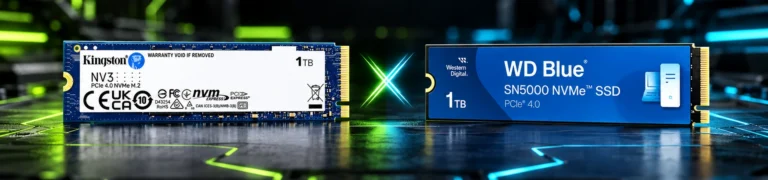
Do not mistake these parts for M.2 NVMe drives. An M.2 slot has a different physical connector; neither SA400S37 part fits it. Check the exact computer model’s service documentation before ordering. If your machine has only M.2 storage, choose a compatible M.2 drive instead. If you already have an NVMe drive, adding an A400 in a separate SATA bay may offer capacity, but it will not replace the NVMe drive in the same slot.
For a desktop, count the free SATA ports and power leads, look at the available tray size, and decide whether you need an adapter. For a laptop, identify whether opening the bottom cover affects service procedures or requires special tools. A repair shop can verify the bay if the service manual is unclear. Compatibility is more important than a slight difference in advertised write speed.
How much room do 240GB and 480GB really leave?
Start with the occupied space on the drive you intend to replace, not its advertised capacity. On Windows, inspect Storage settings or drive properties; on macOS, check System Settings and the service instructions for the computer before assuming a replaceable SATA bay. Count the operating system, applications, user data, recovery partitions and any files you keep locally. Leave room for updates, temporary files and future work.
If the current used space approaches 200GB, cloning directly to a 240GB A400 may fail or leave too little room for comfortable operation. Some cloning tools also require compatible partition layouts or manual partition resizing. Kingston explicitly notes that formatting reduces available capacity; it does not promise that all 240 billion advertised bytes will appear as 240 units in your file manager. A historical Digital Citizen test of a 240GB A400 reported about 223GB available in its Windows setup. That is an example, not a guaranteed figure for every installation.
The 480GB version doubles nominal capacity. It is the simpler choice if this will be your only internal drive and you store project files, media, games or virtual machines locally. It also leaves more margin if your current usage is growing. The 240GB version remains reasonable for a modest OS-and-apps installation when large files live on a separate, reliable drive. A cloud sync folder is still local storage if it is configured to keep files offline; check its actual disk use.
Compare the price difference in dollars and the cost per gigabyte at the time of purchase. A small price gap may make 480GB easier to justify, while a large gap can favor 240GB for a narrowly defined use. We do not publish a fixed price here because stock, retailer, shipping and promotions change.
What the speed numbers do and do not mean
Kingston’s US sheet lists up to 500MB/s sequential reads for both variants. The maximum sequential write specification is 350MB/s for 240GB and 450MB/s for 480GB. These figures were measured as baseline out-of-box performance with a SATA Rev. 3.0 motherboard. Kingston says host hardware, software and usage can change actual results. A SATA Rev. 2.0 connection imposes a lower interface ceiling regardless of the drive’s label.
Sequential transfer rates mainly describe sustained, orderly movement of data under a particular test. Starting a program, opening many small files and switching between apps depend on random I/O and the rest of the system as well. Replacing a mechanical hard drive with a working SSD can make those tasks feel more responsive, but RAM shortage, CPU limits or overheating can remain. If the PC already has a healthy SSD, installing an A400 may solve a space problem without changing the main performance bottleneck.
Older independent reviews help frame expectations but should not be treated as current benchmarks for every production unit. Les Numériques’ archived 240GB test used a particular sample and test setup. It did not compare the exact current US 240GB and 480GB drives under controlled identical conditions. We therefore use the manufacturer’s numbers as rated limits and avoid presenting any measured result as our own.
Endurance, warranty and reliability
The A400 datasheet gives 80TBW for 240GB and 160TBW for 480GB. TBW is a total-bytes-written rating derived from a specified industry workload, not a count of years and not a statement that failure will happen immediately after the threshold. A drive can fail earlier or work longer. Actual use varies with operating system, software and write workload.
Kingston lists a limited three-year warranty for these parts, subject to the remaining drive-life indicator and the applicable warranty terms. Confirm the seller, part number and purchase documentation when buying in the US. A product’s warranty does not replace a backup. Important work files should exist in at least one separate, tested copy; keeping the old disk intact temporarily can also help after migration.
Neither the endurance rating nor a positive owner review gives a reliable failure rate for the model. We did not find a controlled, current comparison establishing how often the two capacities fail. The higher TBW rating on 480GB is useful for the spec comparison, but your decision should still prioritize enough capacity, a sound migration plan and verified backup.
Plan the move from an HDD or another SSD
- Back up irreplaceable files to a different device or service and open a sample of the backup to verify it.
- Check the current disk’s occupied space and health. If it is failing, prioritize data recovery instead of repeatedly stressing it with unsuccessful clone attempts.
- Verify the destination drive’s connector, bracket and any SATA-to-USB adapter required for cloning before opening the computer.
- Choose cloning if you need to preserve the existing installation, or a clean OS installation if you want to rebuild. Cloning can carry over old software and partition issues.
- After installation, confirm the BIOS or UEFI detects the new drive, boot the system, open files, and verify that the expected partitions and capacity are present.
- Keep the old drive unchanged until the new setup and separate backup have been checked.
A bootable recovery or installation USB drive is useful if cloning fails. On a computer with device encryption or BitLocker, follow the operating system’s recovery-key and drive-replacement guidance before changing hardware. Do not assume a successful boot means every document or application migrated correctly. Check the work you actually need.
Who should choose each capacity?
Choose 240GB when the computer definitely accepts a 2.5-inch SATA SSD, the current system occupies comfortably less than the drive’s usable space, large files live elsewhere, and the real price gap to 480GB matters to your budget. It can be a practical upgrade for an older office PC still using a mechanical disk, provided the rest of the hardware remains fit for purpose.
Choose 480GB when this will be the primary or only local drive, your present storage is already crowded, or you want more room for projects and software updates. The rated write speed and TBW are higher, although neither guarantees a perceptible speed increase in your everyday tasks. The interface remains SATA; capacity does not transform it into an NVMe product.
If you are buying for a small office, standardize only after checking every machine’s bay and connector. A mixed fleet may require different drive types. Record which PCs need a bracket, data cable or adapter and whether the existing license and recovery media are available. A capacity choice that works for one workstation may be too tight for another’s application files.
Questions people ask
Is the Kingston A400 240GB NVMe?
No. The SA400S37/240G covered here is a 2.5-inch SATA SSD. The same applies to SA400S37/480G. Check the full part number because a short product name alone may hide different form factors in search results.
Is the 480GB A400 faster than the 240GB model?
Kingston lists the same up-to-500MB/s sequential read speed, but up-to-450MB/s writes for 480GB versus 350MB/s for 240GB. Those are baseline maximum figures. Your interface, workload and system can make real results different.
Does 160TBW mean the 480GB drive will last twice as long?
No. It is twice the rated total bytes written of the 240GB version under the cited specification, not a forecast of calendar life or a guaranteed survival ratio.
How do I know whether it fits my laptop?
Find the laptop’s exact model and service manual. Confirm a 2.5-inch SATA bay, 7mm clearance, the necessary SATA connector or ribbon and any bracket. An M.2-only laptop cannot take this 2.5-inch A400 in its M.2 slot.
Our verdict
The A400 240GB is a sensible small upgrade when you have confirmed SATA compatibility and the actual data will fit with room to spare. The 480GB model is the safer general-purpose capacity for a single-drive computer: it doubles nominal space and rated TBW and has a higher listed maximum sequential write speed. Compare current US listings by the complete part number, budget for any installation parts, and verify a backup before replacing the old drive.