BLOG

Insta360 Link 2 or Link 2C? Choose Link 2 if the camera needs to follow you as you move between a desk, board and demonstration area. Consider Link 2C if most of your meetings or lessons happen in front of a fixed desk. The decisive hardware difference is Link 2’s two-axis gimbal. Link 2C’s camera stays physically pointed in one direction, while Auto Framing can recompose digitally inside the image it already sees. Pay for mechanical movement only if it solves a frequent problem.
Sketch your scene before choosing: chair, whiteboard, workbench and where the presenter stands. If everything important fits a fixed view, better camera placement and lighting may be more useful than a motorized head. This comparison uses Insta360’s specifications for the original Link 2 and Link 2C, its tracking and compatibility guidance, and identified hands-on reviews. We have not made a controlled image or microphone test.
Link 2 vs Link 2C: hardware and video
The original models share a stated 1/2-inch sensor class and up to 4K at 30, 25 or 24 frames per second. At 1080p, modes reach 60 fps. A retailer headline combining “4K” and “60 fps” does not mean both maximums operate simultaneously. The published field of view, autofocus range and digital zoom are broadly shared. The physical movement, weight and privacy mechanism distinguish the products more strongly than the common resolution label.
| Decision point | Insta360 Link 2 | Insta360 Link 2C |
|---|---|---|
| Camera movement | Two-axis mechanical gimbal | Fixed lens direction |
| Automatic framing | AI Tracking can turn camera toward subject | Digital Auto Framing within captured view |
| Sensor class | 1/2 inch | 1/2 inch |
| Maximum listed 4K mode | 30 fps | 30 fps |
| Listed Full HD modes | Up to 60 fps | Up to 60 fps |
| Privacy | Head can point lens downward in privacy mode | Physical lens shutter |
| Approximate unit mass without mount | 101.5 g | 46.5 g |
The official specification page is the right reference for the original Link 2 family. Do not copy features from a Link 2 Pro or Link 2C Pro page merely because a search result places them nearby. Lens movement, cropping and focus are also separate operations. A gimbal can turn toward a person, while digital zoom may still be used; neither guarantees readable small text across a room.
Gimbal tracking versus digital Auto Framing
On Link 2, the gimbal physically changes the camera direction. A teacher can leave the center of the initial frame and still be followed when the movement stays within the system’s tracking range. On Link 2C, the lens continues to face the same area; its software reframes a portion of that existing view. If a presenter walks completely outside the captured field, digital cropping cannot see the rest of the room. This operational difference is more important than treating both labels as synonyms for “AI camera.”
Insta360’s AI Tracking guidance describes the Link 2 path. A small shift in a chair may be handled well by digital Auto Framing, while crossing to a whiteboard could favor the physical movement. That is not a quality score. The room width, camera distance, presenter path and competing subjects can change tracking behavior. Test the scene you will repeat, including where the camera loses sight of you.
Do not assume a motorized camera eliminates the need for a wider shot or a second camera. If you need readable fine print on a whiteboard at the far end of a room, light, distance, letter size and streaming resolution matter. Similarly, digital framing can reduce the portion of the sensor used for an image; whether that matters in your final meeting feed depends on the crop and platform. The 4K specification alone does not settle either question.
When Link 2’s movement earns its price
Link 2 has a clear case when you regularly switch from sitting at a desk to standing at a board or demonstrating an object elsewhere in the room. A teacher may introduce a lesson from a chair, move to a board and return without touching the webcam each time. A small business owner might walk to a product display during a live demonstration. The benefit depends on how often and how far you move, not on the novelty of watching the gimbal turn.
Mount position still matters. A monitor that shakes when typing, a crowded bezel and a cable crossing the moving head can interfere with reliable use. Plan a repeatable camera position, then walk through the actual route. What happens when you pass behind another person or leave the room briefly? For a client meeting, keep a manual framing fallback rather than relying only on gestures or automatic movement.
If you stay seated for nearly every call, the gimbal may add little. Name a recurring task it would fix before paying more: following a walk, alternating demonstration positions or reducing frequent manual repositioning. If you cannot name one, compare the Link 2C’s cost and the value of improving light, microphone placement or the current camera mount.
When Link 2C is the better desk candidate
Link 2C is the more straightforward candidate for a fixed workstation, remote customer service or lessons dominated by screen sharing. You can shift in your chair while the camera digitally adjusts inside its captured scene. The body is smaller and lighter, and it has a physical lens shutter. The shutter is useful for visible camera privacy, but it should not be confused with muting the microphone. Confirm both video and audio states in the conferencing app.
The fixed direction sets the boundary. Mount the camera where the full area you care about is visible before evaluating Auto Framing. If a person or object leaves that area, software cannot pan the lens after them. A tighter digital crop may also leave less detail for a small object you hold near an edge. These are practical setup limits, not evidence that Link 2C has a higher failure rate or a lower-quality sensor.
A stationary camera can be easier to position on a narrow desk and less distracting if no one needs tracking. That is a workflow inference from the hardware, not a measured advantage in every room. If the two models are close in price, compare your actual movement and included accessories; if the gap is large, ask what you could not do without the gimbal.
What four reviewers observed
Alastair Jennings at TechRadar described the Link 2’s pan and tilt as smooth in a studio setup while moving. That supports considering tracking for presentations, but does not establish a universal tracking range or behavior under every light and background. A reviewer at GameRevolution said they did not fully trust gesture controls in an important presentation and favored shortcuts. That is one tester’s confidence judgment, not a measured failure percentage.
James Bentley at PC Gamer praised Link 2C’s image in natural light and noted color variation in some scenes. The practical lesson is to test exposure, white balance and focus with the objects you actually show. It is not a controlled equality test against Link 2. Adam Juniper at Digital Camera World commented on the orientation possible with the magnetic mount used for Link 2C. A mount observation does not mean the camera lacks vertical video modes; check the mount and accessories for the orientation you want.
These four identified reviews add different use cases but are not a representative customer survey. They do not establish defect rates or one webcam’s universal image superiority. They help you frame a trial: walk the teaching route, try the gesture fallback, show actual work objects, and inspect the camera’s physical orientation.
4K, lighting and the feed your audience receives
Before paying for maximum camera resolution, find out what the meeting or streaming platform actually delivers under your account, plan and settings. A 4K-capable webcam can be sent as a lower-resolution call. Do not assume every service supports 4K for every participant. For an active lesson, motion smoothness and reliable framing may matter more than the highest pixel count. The official specifications separate 4K/30 from Full HD/60 modes for a reason.
Matching nominal sensor size does not ensure identical-looking output. Exposure, focus, white balance, crop, background light and software processing all matter. Start by moving a lamp and avoiding a bright window behind the face. If poor lighting is the current limit, that change may do more than a gimbal purchase. Compare a short recording at the settings the platform will actually use, not a manufacturer sample shot under unrelated conditions.
Insta360’s compatibility guidance distinguishes basic camera operation, Link Controller and advanced virtual-camera features. Linux use may rely on standard UVC/UAC behavior without the same controller options. An Android phone is not automatically a replacement for a computer running Link Controller. On a managed PC, verify installation rights, graphics requirements and OS version for the effects you intend to use.
Boards, tabletop demonstrations and audio
A camera that follows a person does not necessarily replace a dedicated document camera. If students must read a diagram or see a small part on a workbench, plan a stable close-up position. It may be better to keep a current webcam for the face and add a separate supported view for the table. Check that the conferencing or streaming software can switch between those sources and that text remains legible after transmission.
Smart Whiteboard and virtual effects have their own software path. Insta360’s virtual-camera instructions explain choosing the virtual camera inside a third-party app and list additional requirements. Do not assume every effect appears just because basic USB video works. A rehearsal with the actual presentation app is more useful than toggling an effect only in Link Controller.
Plan sound separately. A presenter walking away from a desk may need a microphone that stays close to their mouth. Room noise and the conferencing platform affect clarity, and a webcam’s built-in microphone is not necessarily better than a separate mic already serving you well. Record your voice while seated and while moving, then choose the source in the call settings. For privacy, check microphone mute separately from the Link 2C lens shutter or Link 2’s downward-facing privacy position.
Total cost and purchase checklist
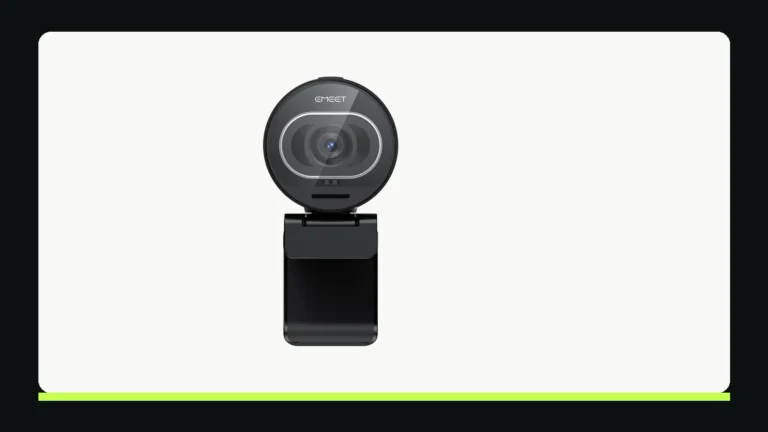
Compare the actual US price with seller support, warranty, needed mount and kit contents. A package with a tripod is not equivalent to one with only a magnetic monitor support. Confirm the original Link 2 or Link 2C model and color; similarly named Pro editions may appear in the same search results. The cover reused from the Brazilian article depicts the original models and should not be treated as a scale drawing of their sizes.
- Decide whether you regularly move through the room or remain at a desk.
- Confirm original Link 2 or Link 2C; do not transfer Pro features.
- Check OS, CPU, graphics and installation requirements for advanced functions.
- Verify the output resolution and frame rate in your actual meeting platform.
- Plan the mount, moving-head clearance, cable and webcam position.
- Define separate views for a board or bench and a usable microphone path.
- Check the selected US kit, condition, seller, warranty and returns.
Frequently asked questions
Can Link 2C follow someone walking across a room?
Its digital Auto Framing works within the fixed camera’s captured view. It cannot physically point the lens at a position outside that area. For larger movement, assess Link 2’s gimbal and the room layout.
Do both record 4K at 60 fps?
Not under the original models’ published modes. 4K reaches 30 fps; Full HD includes up to 60 fps. Virtual effects and a meeting platform may impose further limits.
Does the similar sensor guarantee the same picture?
No. Lighting, processing, focus and crop affect the result. This article has no controlled head-to-head measurement establishing a tie or winner.
Is Link Controller necessary for a basic call?
Basic USB video and advanced effects have different paths. Check the exact feature in the official compatibility documentation and your computer’s software policy.
Verdict by workflow
Choose Link 2 if tracking your movement solves a recurring teaching, presentation or demonstration problem. Consider Link 2C for a mostly fixed desk, where the lens’s view and digital framing are enough. If your current webcam already frames you correctly, test lighting, audio and mounting before buying either. A new camera should correct a concrete limit in the feed your audience actually receives.