BLOG

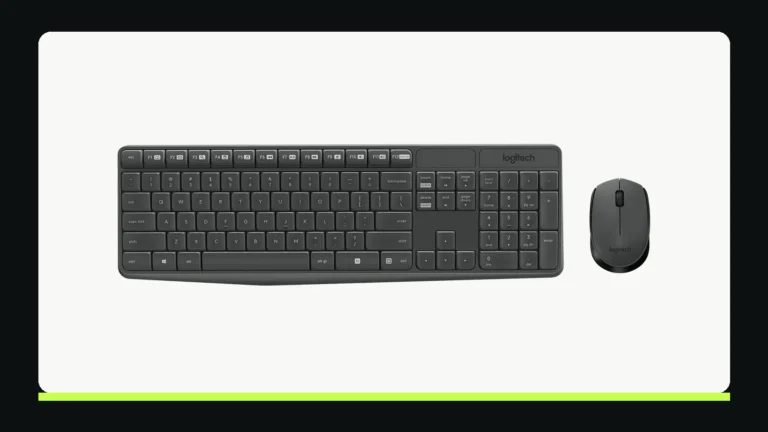
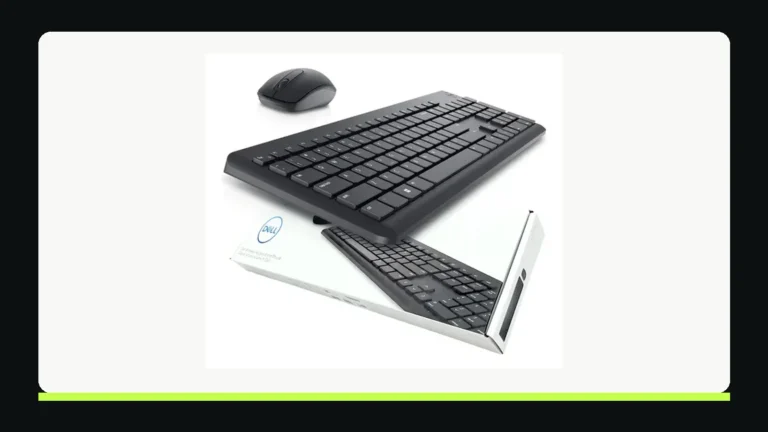
The Dell KM3322W and Logitech MK235 solve the same basic problem: a full-size keyboard and mouse can share one USB receiver, leaving a desk free of two cables. Choose the Dell if its documented US-English layout, multimedia controls and Dell support terms fit a Dell-centered purchasing process. Choose the MK235 if you prefer Logitech’s familiar combo and can confirm that its keyboard size, mouse and support terms suit your work. Neither set is a Bluetooth, mechanical or multi-device keyboard. Those distinctions matter more than a small price difference.
This is a comparison of the US versions, not a paired hands-on test. Dell sells the KM3322W as a US-English set under Dell part 580-AKCW; Logitech has a separate US MK235 product listing. Check the exact listing at checkout because the same family names can appear with different regional key legends and bundles.
Compare the features that affect an ordinary workday
| Criterion | Dell KM3322W, US English | Logitech MK235, US listing | What to check |
|---|---|---|---|
| Contents | Full-size keyboard, mouse, USB receiver | Full-size keyboard, mouse, USB receiver | Confirm batteries and receiver in the specific box |
| Connection | 2.4 GHz through USB receiver | 2.4 GHz through USB receiver | Reserve a compatible USB port |
| Keyboard layout | US English on part 580-AKCW | Check US variant and printed legends | Compare the physical Enter and symbol keys |
| Numeric keypad | Included | Included | Useful for invoices and spreadsheets |
| Mouse | Three buttons; Dell lists 1000 DPI | Basic bundled mouse | Assess size and hand fit, not DPI alone |
| Power | Replaceable batteries | Replaceable batteries | Plan replacements for a shared office |
| Support | Dell lists Advanced Exchange Service on its US page | Logitech support and terms vary by listing | Read the warranty and return terms |
This table describes the named products, not every regional package. A storefront title may omit the important part number. A photograph can also be reused for a different keyboard layout; treat the specification and the actual package label as stronger evidence than a generic product photo.
Start with the US keyboard layout, not the brand name
A buyer coming from a Brazilian-language comparison could easily search for KM3322W and assume that its key legends are identical everywhere. They are not necessarily identical. The Dell US listing explicitly calls this set US English. For a US office, that is likely the expected physical layout, but it still needs to match the operating-system input language and the user’s typing habits. If you use accented characters frequently, decide how you will enter them before buying.
Look at the physical Enter key, the placement of backslash and punctuation, and the number row. A software language setting can change what a key produces; it does not move a printed symbol or change the shape of a key. This matters for staff who rotate between shared stations. In a purchasing order for several desks, record both the keyboard model and the desired layout rather than writing only “KM3322W” or “MK235.”
The full-size format of both sets gives you a number pad. It can reduce switching between number row and mouse for invoicing, spreadsheet entry and inventory work. The tradeoff is width: the mouse sits farther from the center of the body than it would beside a compact keyboard. If your desk is narrow or you use a large mousepad, measure the actual usable width. A keyboard that is inexpensive but forces an awkward mouse position may be the wrong choice for a long shift.
One receiver is convenient, but it is still a USB dependency
Dell identifies the KM3322W interface as 2.4 GHz with a USB wireless receiver. Logitech also describes the MK235 as a wireless combo using a receiver. This makes setup straightforward on a desktop with a spare port: connect the receiver, insert or activate the batteries, and allow the computer to recognize the input devices. It also means you should not assume Bluetooth pairing with a tablet or a laptop that has only USB-C ports.
For a thin laptop, the receiver may require a suitable USB-C adapter or dock. The adapter adds another component that can be lost or damaged. In a small office, decide where the receiver will live when a laptop is unplugged: left in the dock, carried with the computer, or kept with the keyboard. Labeling a shared set can prevent a mouse from being mixed with a different receiver. Do not assume any random receiver from the same brand can replace a lost one; confirm the exact pairing and replacement procedure with the manufacturer first.
A shared receiver also saves one port compared with two separate wireless devices. That is useful when ports are scarce, but it is not an upgrade path. If you later replace only the mouse, it may need its own receiver, cable or Bluetooth connection. Evaluate the set as a complete low-cost workstation kit, not as a promise that each component can be independently paired with future devices.
How the keyboard may feel in daily use
Neither manufacturer markets these particular sets as enthusiast mechanical keyboards. They are conventional office combos. Do not read “durable” as a promise of a particular switch lifetime or “comfortable” as a measurement that applies to every typist. Key travel, resistance, spacing and noise are personal. If typing is your main work, try a sample or buy from a seller with a practical return policy instead of relying on a star rating alone.
Dell lists dedicated multimedia functions such as mute and volume controls on its US product page. Those controls may be handy during calls, especially when an application does not have a convenient keyboard shortcut. But they do not replace headset mute, which is often the safer way to ensure a microphone is off during a meeting. Check whether the shortcut works with your operating system and conferencing app before rolling the combo out to a team.
Logitech presents the MK235 as a familiar full-size set intended for everyday use. Its value is predictability: an ordinary layout, number pad and bundled mouse rather than gaming lighting or elaborate software. The exact typing feel still needs to be judged in person. A low-cost combo can be sufficient for occasional email, form entry and administrative work while being less satisfying to someone writing code or reports for many hours. The correct purchase depends on that workload, not a generic label like “professional.”
The mouse is part of the decision
Dell lists a three-button mouse and 1000 DPI for the KM3322W. That number describes sensor resolution, not comfort or tracking quality on every surface. A small basic mouse may be fine for navigating office applications and less pleasant for a larger hand or extended image editing. The MK235 also includes a basic mouse, so neither bundle should be assumed to substitute for a specialized ergonomic or precision model.
Before buying for a team, ask what people actually do with their mice. Frequent spreadsheet navigation, CRM work and video calls place different demands on a device than detailed photo masking. A worker with wrist or hand pain needs a fit assessment; no manufacturer description of a standard bundled mouse can establish therapeutic benefit. If the keyboard is satisfactory but the mouse is not, calculate the cost of buying a separate mouse. That may erase the value of a combo compared with purchasing the keyboard and mouse separately.
Test the mouse on the desk surface or mousepad you use. Check click reach, scroll wheel feel and whether the cursor remains controllable in small movements. People often focus on keyboard specifications and leave the mouse unopened until deployment. For a small business, a single pilot workstation can reveal a fit problem before buying several identical sets.
Battery life and maintenance deserve a realistic plan
Both sets use replaceable batteries rather than a rechargeable USB cable as their normal power arrangement. Manufacturer battery-life estimates are based on use assumptions, and real life depends on hours, battery type and storage conditions. Record the battery sizes printed on the specific box or product page. Keeping spares at the office is more reliable than assuming the advertised duration will be reached by every employee.
A keyboard that appears to disconnect may simply have weak batteries, an obstructed receiver or radio interference from the position of a dock. Start with easy checks: battery polarity and charge, receiver seating, another USB port and a clear path to the desk. Do not immediately attribute a single disconnection to a defective product line. If the issue repeats, log the machine, port, battery and distance before seeking a replacement under the applicable warranty.
Battery maintenance also affects total cost. For one desk, the difference may be modest. Across an office, purchasing cells, assigning responsibility and disposing of used batteries become a process. That does not make wireless a poor choice; it simply means its convenience comes with upkeep that a wired keyboard does not require.
Support terms and purchasing for a small office
Dell’s US listing shows Advanced Exchange Service for the KM3322W. Read the coverage terms and the actual seller’s order details before assuming a particular replacement speed or business guarantee. Logitech has its own support and warranty terms for the MK235. A product bought from a marketplace seller can have a different return path from one bought directly from the manufacturer. Keep the receipt, part number and receiver together in your asset record.
When comparing offers, use the delivered total, not just the displayed product price. Include taxes, shipping, any necessary USB-C adapter and the possibility of replacing the mouse. Check whether the package is new, whether the US layout is explicitly stated and whether the seller includes the receiver. The current price is too variable to serve as a permanent recommendation in an evergreen article.
For procurement, a practical worksheet has five fields: exact SKU, physical layout, receiver type, warranty or return route, and delivered cost. Those fields let you compare offers from different sellers without treating different regional packages as interchangeable. If you need the same setup at several desks, buy one verified sample first and then use its package details for the remaining order.
What customer reviews can and cannot prove
The manufacturer pages include customer ratings, but aggregated scores are a weak substitute for matching the exact regional variant and usage period. A review about a keyboard layout that you will not buy is irrelevant to your typing workflow. A report of a failed mouse after years of use is one experience, not an established failure rate for the model. Read the review date, model, seller and context before drawing a conclusion.
Look for repeated, concrete patterns: receiver setup, key legends, mouse size, battery access and the seller’s response to returns. Give less weight to vague claims that either combo “works perfectly” or “never works” without device and environment details. This comparison does not claim to have tested a sample of either set. The useful outcome of review research is a checklist of questions to verify on your own desk.
Which combo should you choose?
Choose the Dell KM3322W if the US-English 580-AKCW package is the one you can actually purchase, you want the documented Dell support route, and its three-button mouse is sufficient. It is especially easy to specify alongside other Dell office equipment because the manufacturer publishes a clear part number. Verify that your laptop or dock has a suitable receiver port.
Choose the Logitech MK235 if you prefer its familiar full-size keyboard and mouse package, can confirm the US layout and included receiver, and its delivered cost and return policy are better for your order. It is not the automatic winner simply because the Logitech name is better known. Confirm the actual package details and test the bundled mouse if possible.
Choose neither if you need native Bluetooth switching between devices, a compact keyboard, a more supportive mouse, a particular programmable key set or a wired setup with no battery handling. Those are requirements outside the central purpose of these two inexpensive combos. Buying the wrong type of connection is more costly than choosing the less popular brand.
Questions to answer before checkout
Can I connect either set directly to an iPad or a USB-C-only laptop? Do not assume so. The listed sets use USB receivers; verify adapter and operating-system compatibility for the exact device. A Bluetooth keyboard may be simpler for a tablet.
Does the US KM3322W have Brazilian ABNT2 keys? The cited US Dell listing says US English. Treat ABNT2 as a different regional configuration unless the seller documents otherwise. The same principle applies to MK235 listings.
Is the Dell mouse better because it lists 1000 DPI? No conclusion follows from that figure alone. Hand fit, wheel, surface and control at your chosen sensitivity matter more in ordinary office use.
Can I use one receiver with devices from both brands? Do not count on it. Each set has its own receiver arrangement. Check manufacturer replacement instructions if you lose one.
Will either combo solve discomfort during long workdays? The product listings do not establish that. Assess desk height, posture, reach and device fit. Consider a different keyboard or mouse if the basic set puts your hand in an uncomfortable position.
Final decision
The Dell KM3322W and Logitech MK235 are sensible starting points for a US office that needs a full-size wireless keyboard and mouse with one receiver. The Dell is easier to identify by a documented US part number and support listing; the MK235 is a straightforward alternative when its exact package and return terms are favorable. Match the layout, USB port, mouse and maintenance process to the workstation before comparing the final delivered prices. That short check will tell you more than a generic “best combo” ranking.