BLOG

Is the Logitech MK235 a good keyboard-and-mouse combo for work? It is a sensible basic option when you need a full-size keyboard, number pad and compact mouse sharing one USB receiver. It is less convincing if you need to switch quickly among computers, want a particular typing feel or need a larger mouse. Confirm the US keyboard layout in the listing: the MK235 name is used in multiple regions, and a product photograph alone cannot establish the keys in your box.
This review uses Logitech’s US MK235 product page, its technical specifications and identifiable owner accounts. We did not type on or measure this kit. The original Brazilian article discussed ABNT2 buying checks; for an American reader, the equivalent task is confirming a US English physical layout and the actual package offered by the seller.
What the MK235 includes
Logitech describes a full-size wireless keyboard with a number pad and an ambidextrous compact wireless mouse. One USB receiver connects the pair over 2.4 GHz. The keyboard uses two AAA batteries and the mouse one AA. Logitech advertises up to 36 months of keyboard battery life and up to 12 months for the mouse, expressly noting that life varies with user and computing conditions. These are manufacturer estimates, not measured endurance from this publication.
| Need | MK235 feature | What to check |
|---|---|---|
| Numeric entry | Full-size keyboard with number pad | Width and mouse space on the desk |
| Wireless connection | Shared 2.4 GHz USB receiver | Free USB port or appropriate adapter |
| Moving among PCs | No dedicated multi-device switch documented | Whether moving the receiver is acceptable |
| Mouse operation | Compact ambidextrous three-button mouse | Fit for your hand and daily use |
| Power | Two AAA plus one AA battery | Replacement supply, not just stated runtime |
| Quiet workspace | No standardized silence rating in cited material | Test actual typing sound |
The keyboard measures about 435.5 mm wide and the mouse about 97.7 mm long according to the technical sheet. Numbers help you plan space; they cannot tell you whether you like the keystroke or whether the mouse supports your grip. The combo solves a common procurement need, but it is still two separate input devices that deserve separate evaluation.
US English layout: check the keys, not the headline
Logitech sells regional versions of the MK235. A Portuguese-language page or a generic international photo does not make a keyboard ABNT2; likewise, an English marketplace title is not enough to prove that the physical key arrangement is US English. Read the selected variant, part number and seller’s description. If you depend on the US position of brackets, slash, backslash, punctuation and Enter, inspect the actual key image or box label before buying.
The operating system’s input language should also match your physical keyboard. A wrong symbol after you press a key can be a layout setting rather than hardware failure. On first setup, open a plain text editor and type letters, numbers and the symbols you use most. Check that the labels on the keys correspond to the characters produced. This is especially useful for coding, bookkeeping and writing customer messages where an unexpected symbol can slow work.
A full-size layout also has a physical cost. The number pad can speed repeated entry of figures for some people, but it pushes the mouse to the right on a narrow desk. Measure approximately 43.5 cm of keyboard width plus the surface needed to move the mouse. If you rarely enter numbers, compare a more compact keyboard rather than treating the number pad as an automatic advantage.
Typing feel and shortcuts
Logitech’s support data lists function-key shortcuts accessible through Fn and a conventional full-size arrangement. The keyboard does not have backlit keys in the cited specification. Neither the presence of shortcuts nor the width predicts typing speed or comfort. If F2, F5 and other function keys matter in your editor, spreadsheet or browser, verify how Fn and the top row behave in your workflow before replacing a keyboard you already know well.
Logitech describes tilt legs and a spill-resistant design. The manufacturer’s US page limits that spill claim to specified conditions; it is not a promise that the keyboard survives every accident or can be immersed. The feet offer a positioning choice, but raising a keyboard is not automatically more comfortable. Try the angle that lets you type without lifting your wrists awkwardly and keep the mouse within a natural reach.
If you already prefer a mechanical switch, a split shape or a dedicated wrist rest, the MK235’s basic keyboard may not satisfy that requirement. The economical combo price should be weighed against the cost of setting one component aside. A kit is good value when you actually want both included devices.
The receiver is not Bluetooth
The MK235 connects over Logitech’s 2.4 GHz USB receiver. You do not pair it directly through a laptop’s Bluetooth menu. The shared receiver is convenient for a fixed workstation because it occupies only one USB port for the pair. It can become inconvenient when you regularly alternate between a laptop and desktop: moving the receiver is different from pressing a multi-device selector that the MK235 does not document.
Do not assume that any Logitech receiver can replace a lost original. Receiver families and pairing support vary, so check official support for the exact MK235 package before buying a replacement. If you buy a used or open-box kit, confirm the receiver is included and that both keyboard and mouse operate with it. A missing dongle can make an otherwise cheap listing a poor purchase.
For a laptop with only USB-C ports, include the necessary adapter or dock in the setup. If you experience input interruptions, check batteries, receiver seating, nearby interference and USB placement before labeling the device defective. Logitech cites up to a 10 m wireless range, with variation due to environment and computer conditions. For a desk, reliable operation at your actual distance matters more than maximum range.
Batteries and maintenance
Replaceable AA and AAA batteries can restore the kit without waiting for a charging cable. Keep the correct sizes available, particularly if several desks use the same combo. Logitech’s 36-month and 12-month figures are estimates under its own conditions; your actual pattern of typing, mouse movement, storage and computer sleep can change them. An advertised maximum is not a scheduled replacement date.
If the pointer becomes erratic or a key intermittently fails, first inspect battery level and contacts, then try another suitable USB port. Document what happens on a second computer if you need support. This sequence is a diagnostic suggestion, not a claim that common MK235 failures have a particular cause. A single user’s problem cannot establish a chronic defect in the whole line.
Mouse size: judge it independently
Logitech calls the bundled mouse compact and ambidextrous. Its listed length is about 97.7 mm, shorter than many full-size office mice. That may suit a small hand or a portable desk, while another person may find it hard to support the palm. Compare it with a mouse you can use comfortably for hours. The weight figure cannot prove less fatigue without considering grip and movement style.
The mouse has basic left and right clicks and a clickable scroll wheel. It does not offer side buttons for shortcuts in the cited specification. If your work relies on browser back and forward on the mouse, design-tool commands or a larger shape, buying the keyboard and a separate mouse may be more sensible than accepting the combo because it is a bundle.
What owners reported
On a collective ProductReview page, an owner identified as Cavitation described comfortable typing but found the keys somewhat noisy, while the compact mouse suited that person’s hand. These are three separate observations: a buyer can like the feel, dislike the sound and still like the mouse size. None is an acoustic measurement or universal comfort verdict.
Another account on that page, under the name Ronlad Reagan, reported positive keyboard operation while carrying it between places. This is an individual experience, not a standardized durability test or a promise for current US packages. The two reviewed comments form a small, self-selected set. They cannot establish an average life span or what most owners think. Use them to formulate the questions you should answer in your own environment.
MK235 versus another basic combo
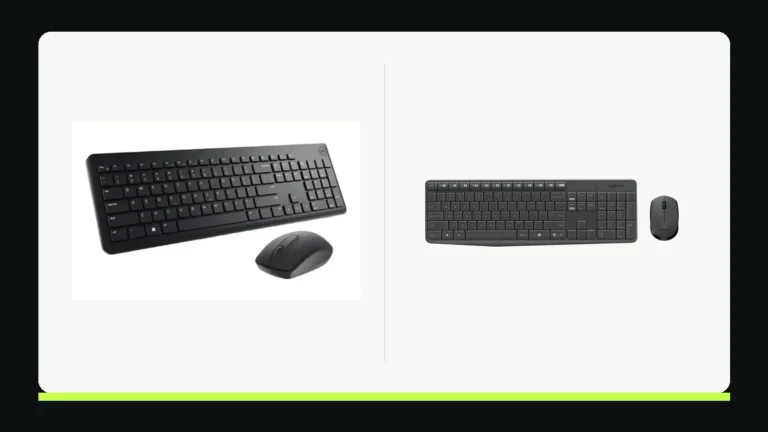
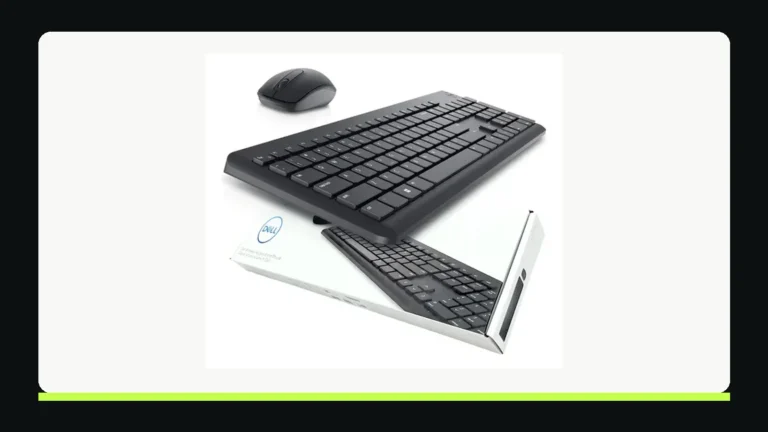
A kit such as Dell’s KM3322W can also provide a full-size keyboard, number pad and shared receiver. Those features alone do not make either one superior. Compare the exact US layout, keyboard width, mouse shape, support terms and complete price of the available offers. We have no controlled side-by-side typing or noise test from which to declare a winner.
If your key requirement is quietness, look for measured evidence or a return policy that lets you hear the exact model in your room. If it is frequent device switching, choose a combo explicitly documenting that feature. If the mouse is more important than the keyboard, compare mice directly. Buying a bundle can simplify the order but cannot remove the compromises of each component.
US purchase checklist
- Verify the listing’s physical US English keyboard layout and product code.
- Confirm both peripherals and their paired USB receiver are included.
- Measure room for a 435.5 mm keyboard and comfortable mouse travel.
- Check for an available USB port or include a suitable USB-C adapter.
- Decide whether the compact three-button mouse fits your hand and commands.
- Compare the final delivered cost with buying the components separately.
- Review seller condition, return policy and applicable warranty.
- After arrival, test all keys, symbols, clicks and wheel actions before the return window ends.
Frequently asked questions
Is the Logitech MK235 Bluetooth?
No. Its documented wireless connection uses a USB receiver over 2.4 GHz. Ensure that receiver is included, especially in used or open-box listings.
Is the keyboard silent?
We did not measure its noise and found no specification proving silence. One owner found the keys a little noisy. Test it if sound is a deciding factor.
Can I use it with more than one computer?
You can move the receiver, but the kit does not document a dedicated quick-switch feature. Frequent multi-device work calls for a product designed for it.
Is the MK235 a good value?
Only when the exact layout, keyboard and mouse all meet your needs at the final available price. We do not fix a changing US price or infer value from the brand alone.
Verdict
The MK235 is worth comparing for a straightforward US office or study desk that needs full-size typing, a number pad and a basic compact mouse. The shared receiver and replaceable batteries keep the setup simple. Choose separate peripherals or a different combo when mouse fit, quietness or multi-device switching is important enough to outweigh bundle convenience. Verify the physical layout and receiver before buying.